LibFile: masks.scad
This file provides 2D and 3D masks that you can use to add edge treatments to your models.
You can apply 2D masking shapes with edge_profile() to mask edges of cubes,
prismoids or cylinders creating edge treatments like roundovers, chamfers, or more elaborate shapes like
like the cove and ogee found in furniture and architecture. You can also create 3D masks
objects that you can apply to specific edges or corners.
To use, add the following lines to the beginning of your file:
include <BOSL2/std.scad>
File Contents
-
mask2d_roundover()– Creates a circular mask shape for rounding edges or beading. [Geom] [Path]mask2d_smooth()– Creates a continuous curvature mask for rounding edges. [Geom] [Path]mask2d_teardrop()– Creates a 2D teardrop shape with specified max angle from vertical. [Geom] [Path]mask2d_cove()– Creates a 2D cove (quarter-round) mask shape. [Geom] [Path]mask2d_chamfer()– Produces a 2D chamfer mask shape. [Geom] [Path]mask2d_rabbet()– Creates a rabbet mask shape. [Geom] [Path]mask2d_dovetail()– Creates a 2D dovetail mask shape. [Geom] [Path]mask2d_ogee()– Creates a 2D ogee mask shape. [Geom] [Path]
-
Section: Modules for Applying 2D Masks
face_profile()– Extrudes a 2D edge profile into a mask for all edges and corners of the given faces on the parent. [Geom]edge_profile()– Extrudes a 2d edge profile into a mask on the given edges of the parent. [Geom]edge_profile_asym()– Extrudes an asymmetric 2D profile into a mask on the given edges and corners of the parent. [Geom]corner_profile()– Rotationally extrudes a 2d edge profile into corner mask on the given corners of the parent. [Geom]
-
chamfer_edge_mask()– Creates a shape to chamfer a 90° edge. [Geom]rounding_edge_mask()– Creates a shape to round an arbitrary 3d edge. [Geom]teardrop_edge_mask()– Creates a shape to round a 90° edge but limit the angle of overhang. [Geom]polygon_edge_mask()– Extrudes a 2d mask polygon to an edge mask with a correct corner anchor [Geom]
-
Section: 3D Masks for 90° Corners
chamfer_corner_mask()– Creates a shape to chamfer a 90° corner. [Geom]rounding_corner_mask()– Creates a shape to round 90° corners. [Geom]teardrop_corner_mask()– Creates a shape to round a 90° corner but limit the angle of overhang. [Geom]
-
Section: 3D Cylinder End Masks
chamfer_cylinder_mask()– Creates a shape to chamfer the end of a cylinder. [Geom]rounding_cylinder_mask()– Creates a shape to round the end of a cylinder. [Geom]
-
Section: 3D Cylindrical Hole Masks
rounding_hole_mask()– Creates a shape to round the edge of a round hole. [Geom]
-
Section: Modules for Applying 3D Masks
face_mask()– Ataches a 3d mask shape to the given faces of the parent. [Trans]edge_mask()– Attaches a 3D mask shape to the given edges of the parent. [Trans]corner_mask()– Attaches a 3d mask shape to the given corners of the parent. [Trans]
Section: 2D Masking Shapes
Function/Module: mask2d_roundover()
Synopsis: Creates a circular mask shape for rounding edges or beading. [Geom] [Path]
Topics: Shapes (2D), Paths (2D), Path Generators, Attachable, Masks (2D)
See Also: corner_profile(), edge_profile(), face_profile(), fillet()
Usage: As module
- mask2d_roundover(r|d=|h=|height=|cut=|joint=, [inset], [mask_angle], [excess], [flat_top=], [quarter_round=], [clip_angle=]) [ATTACHMENTS];
Usage: As function
- path = mask2d_roundover(r|d=|h=|height=|cut=|joint=, [inset], [mask_angle], [excess], [flat_top=], [quarter_round=], [clip_angle=]);
Description:
Creates a 2D roundover/bead mask shape that is useful for extruding into a 3D mask for an edge. Conversely, you can use that same extruded shape to make an interior fillet between two walls. As a 2D mask, this is designed to be differenced away from the edge of a shape that with its corner at the origin and one edge on the X+ axis and the other mask_angle degrees counterclockwise from the X+ axis. If called as a function, returns a 2D path of the outline of the mask shape.
The roundover can be specified by radius, diameter, height, cut, or joint length.
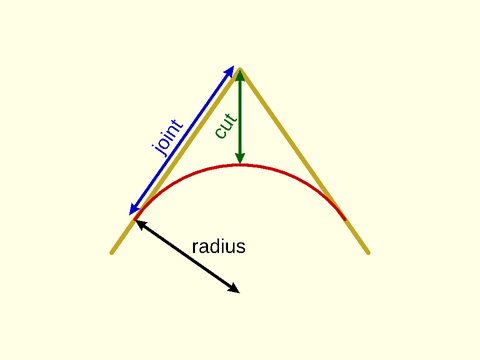
If you need roundings to agree on edges of different mask_angle, e.g. to round the base of a prismoid, then you need all of the
masks used to have the same height. (Note that it may appear that matching joint would also work, but it does not because the joint distances are measured
in different directions.) You can get the same height by setting the height parameter, which is an alternate way to control the size of the rounding.
You can also set quarter_round=true, which creates a rounding that uses a quarter circle of the specified radius for all mask angles. If you have set inset
you will need flat_top=true as well. Note that this is the default if you use quarter_round=true but not otherwise. Generally if you want a roundover
results are best using the height option but if you want a bead as you get using inset the results are often best using the quarter_round=true option.
If you set the clip_angle option then the bottom of the arc is clipped at the specified angle from vertical. This
can be useful for creating bottom roundings for 3d printing. If you specify the radius either directly or indirectly
using cut or joint and combine that with a height specification using h or height, then clip_angle is automatically
calculated and a clipped circle of the specified height and radius is produced.
Arguments:
| By Position | What it does |
|---|---|
r |
Radius of the roundover. |
inset |
Optional bead inset size, perpendicular to the two edges. Scalar or 2-vector. Default: 0 |
mask_angle |
Number of degrees in the corner angle to mask. Default: $edge_angle if defined, otherwise 90 |
excess |
Extra amount of mask shape to creates on the X and quasi-Y sides of the shape. Default: 0.01 |
| By Name | What it does |
|---|---|
d |
Diameter of the roundover. |
h / height |
Mask height excluding inset and excess. Give instead of r / d, cut or joint when you want a consistent mask height, no matter what the mask angle. |
cut |
Cut distance. IE: How much of the corner to cut off. See Types of Roundovers. |
joint |
Joint distance. IE: How far from the edge the roundover should start. See Types of Roundovers. |
flat_top |
If true, the top inset of the mask will be horizontal instead of angled by the mask_angle. Default: true if quarter_round is set, false otherwise. |
quarter_round |
If true, make a roundover independent of the mask_angle, defined based on a quarter circle of the specified size. Creates mask with angle-independent height. Default: false. |
clip_angle |
Clip the bottom of the rounding where the circle is this angle from the vertical. Must be between mask_angle-90 and 90 degrees. Default: 90 (no clipping) |
anchor |
Translate so anchor point is at origin (0,0,0). See anchor. Default: CENTER |
spin |
Rotate this many degrees around the Z axis after anchor. See spin. Default: 0 |
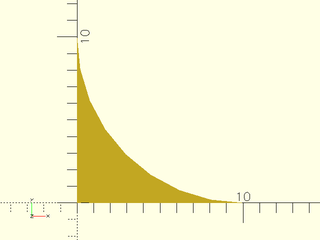
Example 1: 2D Roundover Mask by Radius
include <BOSL2/std.scad>
mask2d_roundover(r=10);
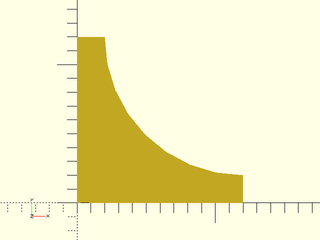
Example 2: 2D Bead Mask
include <BOSL2/std.scad>
mask2d_roundover(r=10,inset=2);
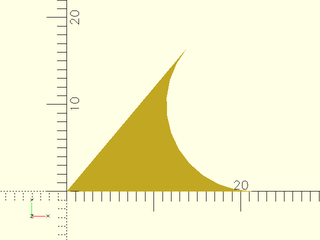
Example 3: 2D Roundover Mask by Radius, acute angle
include <BOSL2/std.scad>
mask2d_roundover(r=10, mask_angle=50);
Example 4: 2D Bead Mask by Radius, acute angle
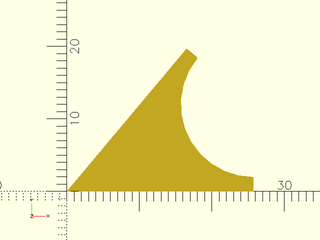
include <BOSL2/std.scad>
mask2d_roundover(r=10, inset=2, mask_angle=50);
Example 5: 2D Bead Mask for obtuse angle, by height
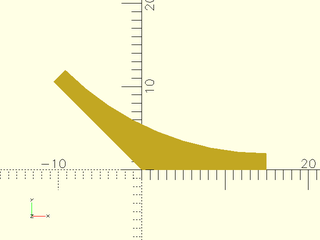
include <BOSL2/std.scad>
mask2d_roundover(h=10, inset=2, mask_angle=135, $fn=64);
Example 6: 2D Bead Mask for obtuse angle, by height with flat top
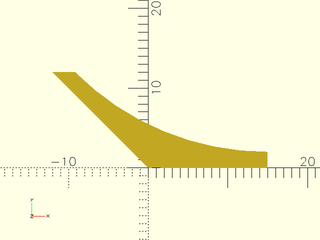
include <BOSL2/std.scad>
mask2d_roundover(h=10, inset=2, mask_angle=135, flat_top=true, $fn=64);
Example 7: 2D Angled Bead Mask by Joint Length. Joint length does not include the inset.
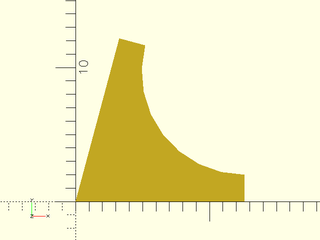
include <BOSL2/std.scad>
mask2d_roundover(joint=10, inset=2, mask_angle=75);
Example 8: Increasing the Excess
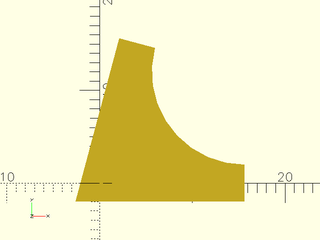
include <BOSL2/std.scad>
mask2d_roundover(r=10, inset=2, mask_angle=75, excess=2);
Example 9: quarter_round bead on an acute angle
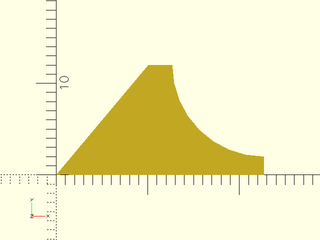
include <BOSL2/std.scad>
mask2d_roundover(r=10, inset=2, mask_angle=50, quarter_round=true);
Example 10: quarter_round bead on an obtuse angle
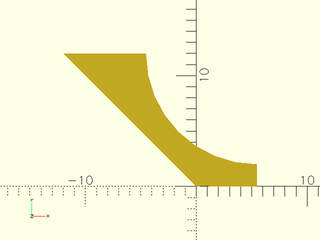
include <BOSL2/std.scad>
mask2d_roundover(r=10, inset=2, mask_angle=135, quarter_round=true);
Example 11: clipping a circle to a 50 deg angle
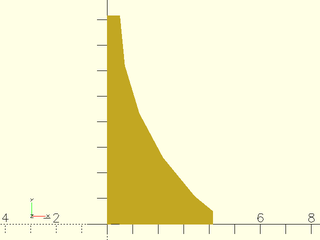
include <BOSL2/std.scad>
mask2d_roundover(r=10, inset=1/2, clip_angle=50);
Example 12: clipping a circle to a 50 deg angle. The bottom of the arc is not tangent to the x axis.
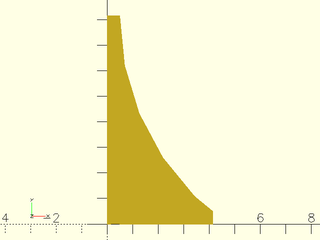
include <BOSL2/std.scad>
mask2d_roundover(r=10, inset=1/2, clip_angle=50);
Example 13: clipping the arc by specifying r and h
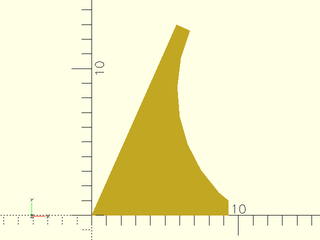
include <BOSL2/std.scad>
mask2d_roundover(mask_angle=66, r=10, h=12, inset=1);
Example 14: Masking by Edge Attachment
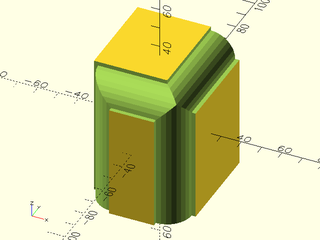
include <BOSL2/std.scad>
diff()
cube([50,60,70],center=true)
    edge_profile([TOP,"Z"],except=[BACK,TOP+LEFT])
        mask2d_roundover(h=12, inset=2);
Example 15: Making an interior fillet
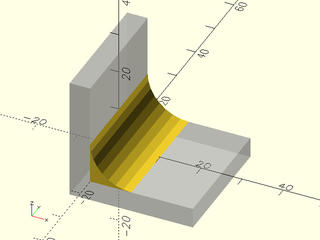
include <BOSL2/std.scad>
%render() difference() {
    move(-[5,0,5]) cube(30, anchor=BOT+LEFT);
    cube(310, anchor=BOT+LEFT);
}
xrot(90)
    linear_extrude(height=30, center=true)
        mask2d_roundover(r=10);
Example 16: Rounding over top of an extreme prismoid using height option
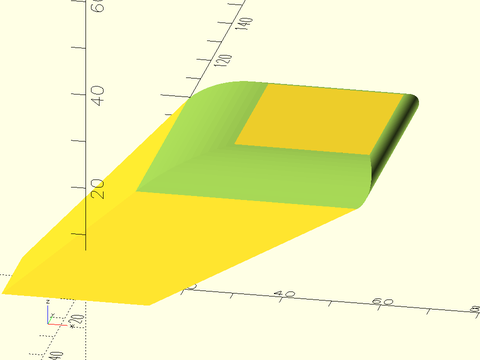
include <BOSL2/std.scad>
diff()
  prismoid([30,20], [50,60], h=20, shift=[40,50])
     edge_profile(TOP, excess=27)
        mask2d_roundover(height=5, mask_angle=$edge_angle, $fn=128);
Example 17: Using the quarter_round option results in a lip on obtuse angles, so it may not be the best choice for pure roundings.
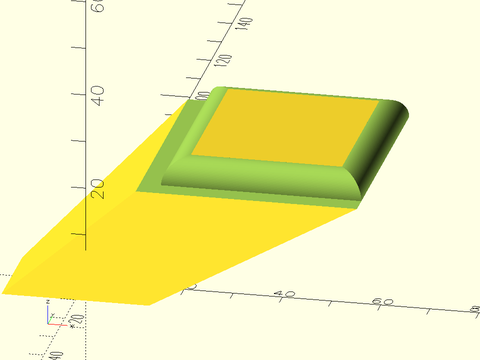
include <BOSL2/std.scad>
diff()
  prismoid([30,20], [50,60], h=20, shift=[40,50])
     edge_profile(TOP, excess=27)
        mask2d_roundover(r=5, mask_angle=$edge_angle, quarter_round=true, $fn=128);
Example 18: Creating a bead on the prismoid using the height option with flat_top=true:
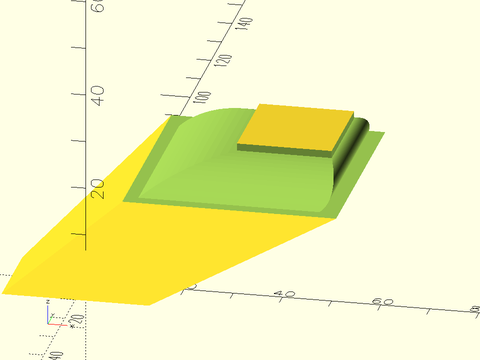
include <BOSL2/std.scad>
diff()
  prismoid([30,20], [50,60], h=20, shift=[40,50])
     edge_profile(TOP, excess=27)
        mask2d_roundover(height=5, mask_angle=$edge_angle, inset=1.5, flat_top=true, $fn=128);
Example 19: Bead may be more pleasing using the quarter_round option, with curves terminating in a plane parallel to the prismoid top. The size of the inset edge will be larger than requested when the angle is obtuse.
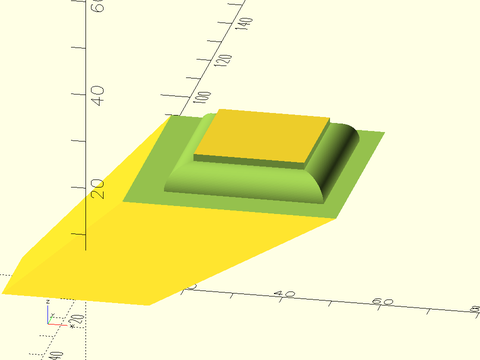
include <BOSL2/std.scad>
diff()
  prismoid([30,20], [50,60], h=20, shift=[40,50])
     edge_profile(TOP, excess=27)
        mask2d_roundover(r=5, mask_angle=$edge_angle, quarter_round=true, inset=1.5, $fn=128);
Function/Module: mask2d_smooth()
Synopsis: Creates a continuous curvature mask for rounding edges. [Geom] [Path]
Topics: Shapes (2D), Paths (2D), Path Generators, Attachable, Masks (2D)
See Also: corner_profile(), edge_profile(), face_profile()
Usage: As module
- mask2d_smooth([mask_angle], [cut=], [joint=], [inset=], [excess=], [flat_top=], [anchor=], [spin=]) [ATTACHMENTS];
Usage: As function
- path = mask2d_smooth([mask_angle], [cut=], [joint=], [inset=], [excess=], [flat_top=], [anchor=], [spin=]);
Description:
Creates a 2D continuous curvature rounding mask shape that is useful for extruding into a 3D mask for an edge. Conversely, you can use that same extruded shape to make an interior fillet between two walls. As a 2D mask, this is designed to be differenced away from the edge of a shape that with its corner at the origin and one edge on the X+ axis and the other mask_angle degrees counterclockwise from the X+ axis. If called as a function, returns a 2D path of the outline of the mask shape.
The roundover can be specified by joint length or cut distance. (Radius is not meaningful for this type of mask.) You must also specify the
continuous curvature smoothness parameter, k, which defaults to 0.5. This diagram shows a roundover for the default k value.
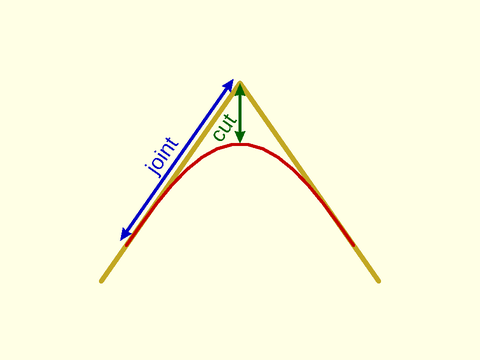
With k=0.75 the transition into the roundover is shorter and faster. The cut length is bigger for the same joint length.
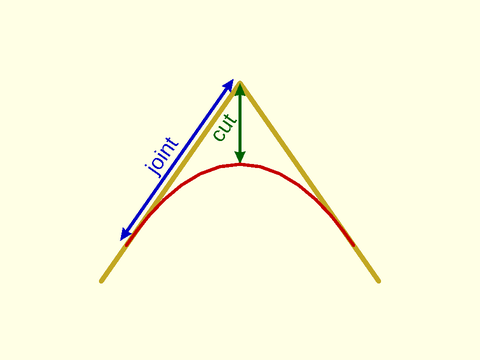
The diagrams above show symmetric roundovers, but you can also create asymmetric roundovers by giving a list of two values for joint. In this
case the first one is the horizontal joint length and the second one is the joint length along the other side of the rounding.
If you need roundings to agree on edges of different mask_angle, e.g. to round the base of a prismoid, then you need all of the
masks used to have the same height. (Note that it may appear that matching joint would also work, but it does not because the joint distances are measured
in different directions.) You can get the same height by setting the joint parameter to a scalar to define the joint length in the horizontal direction and then setting
the height parameter, which determines the length of the other joint so that it has the desired height.
Arguments:
| By Position | What it does |
|---|---|
mask_angle |
Number of degrees in the corner angle to mask. Default: $edge_angle if set, 90 otherwise |
| By Name | What it does |
|---|---|
inset |
Optional bead inset size, perpendicular to the two edges. Scalar or 2-vector. Default: 0 |
excess |
Extra amount of mask shape to creates on the X and quasi-Y sides of the shape. Default: 0.01 |
cut |
Cut distance. IE: How much of the corner to cut off. See Types of Roundovers. |
joint |
Joint distance. IE: How far from the edge the roundover should start. See Types of Roundovers. |
h / height |
Mask height excluding inset and excess. This determines the height of the mask when you want a consistent mask height, no matter what the mask angle. You must provide a scalar joint value to define the mask width, and you cannot give cut. |
flat_top |
If true, the top inset of the mask will be horizontal instead of angled by the mask_angle. Default: false |
splinesteps |
Numbers of segments to create on the roundover. Default: 16 |
anchor |
Translate so anchor point is at origin (0,0,0). See anchor. Default: CENTER |
spin |
Rotate this many degrees around the Z axis after anchor. See spin. Default: 0 |
Example 1: Mask defined by cut
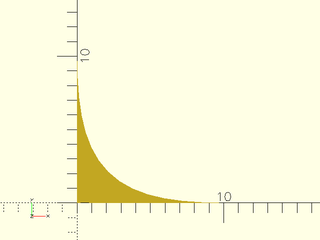
include <BOSL2/std.scad>
mask2d_smooth(cut=3);
Example 2: Mask defined by symmetric joint length with larger excess (which helps show the ends of the mask)
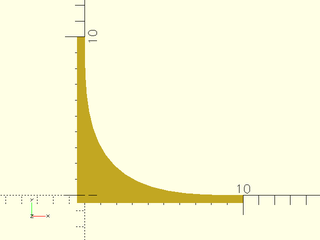
include <BOSL2/std.scad>
mask2d_smooth(joint=10,excess=0.5);
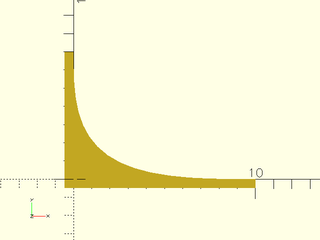
Example 3: Asymmetric mask by joint length with different lengths
include <BOSL2/std.scad>
mask2d_smooth(joint=[10,7],excess=0.5);
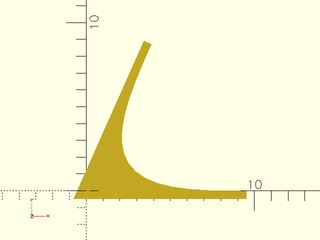
Example 4: Acute angle mask by cut
include <BOSL2/std.scad>
mask2d_smooth(mask_angle=66,cut=3,excess=0.5);
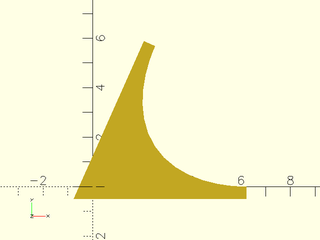
Example 5: Acute angle mask by cut, but large k value
include <BOSL2/std.scad>
mask2d_smooth(mask_angle=66,cut=3,excess=0.5, k=.9);
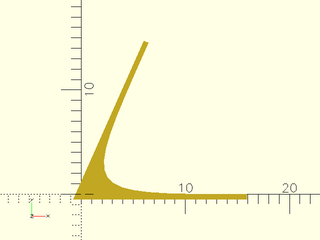
Example 6: Acute angle mask by cut, but small k value
include <BOSL2/std.scad>
mask2d_smooth(mask_angle=66,cut=3,excess=0.5, k=.2);
Example 7: Obtuse angle mask
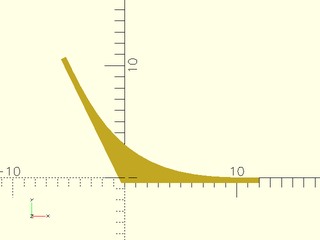
include <BOSL2/std.scad>
mask2d_smooth(mask_angle=116,joint=12,excess=0.5);
Example 8: Inset mask
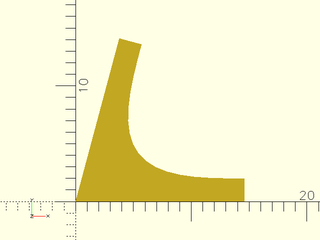
include <BOSL2/std.scad>
mask2d_smooth(mask_angle=75,joint=12,inset=2);
Example 9: Inset mask, flat top
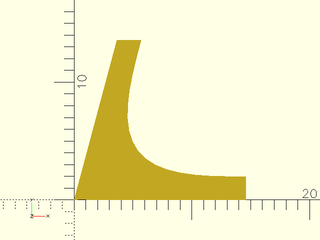
include <BOSL2/std.scad>
mask2d_smooth(mask_angle=75,joint=12,inset=2, flat_top=true);
Example 10: Masking by Edge Attachment
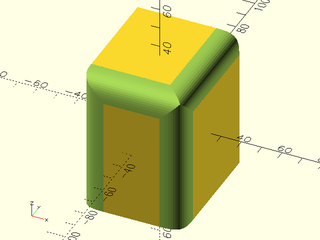
include <BOSL2/std.scad>
diff()
cube([50,60,70],center=true)
    edge_profile([TOP,"Z"],except=[BACK,TOP+LEFT])
        mask2d_smooth(cut=3);
Example 11: Masking a cylinder by edge attachment
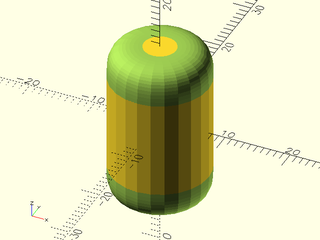
include <BOSL2/std.scad>
diff()
cyl(h=25,d=15)
    edge_profile()
        mask2d_smooth(joint=5);
Example 12: Rounding over top of an extreme prismoid using height option
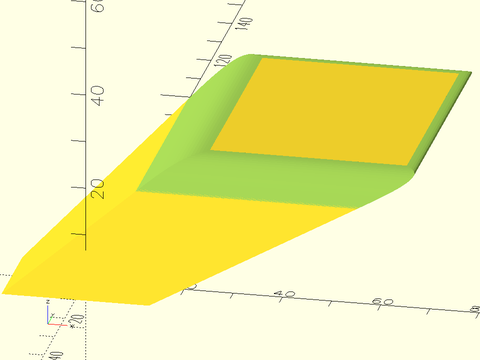
include <BOSL2/std.scad>
diff()
  prismoid([30,20], [50,60], h=20, shift=[40,50])
     edge_profile(TOP, excess=27)
        mask2d_smooth(height=5, joint=5);
Function/Module: mask2d_teardrop()
Synopsis: Creates a 2D teardrop shape with specified max angle from vertical. [Geom] [Path]
Topics: Shapes (2D), Paths (2D), Path Generators, Attachable, Masks (2D), FDM Optimized
See Also: corner_profile(), edge_profile(), face_profile()
Usage: As Module
- mask2d_teardrop(r|d=, [angle], [inset] [mask_angle], [excess], [cut=], [joint=], [h=|height=]) [ATTACHMENTS];
Usage: As Function
- path = mask2d_teardrop(r|d=, [angle], [inset], [mask_angle], [excess], [cut=], [joint=], [h=|height=]);
Description:
Creates a 2D teardrop mask shape that is useful for extruding into a 3D mask for an edge. Conversely, you can use that same extruded shape to make an interior teardrop fillet between two walls. As a 2D mask, this is designed to be differenced away from the edge of a shape that with its corner at the origin and one edge on the X+ axis and the other mask_angle degrees counterclockwise from the X+ axis. If called as a function, returns a 2D path of the outline of the mask shape. This is particularly useful to make partially rounded bottoms, that don't need support to print. The roundover can be specified by radius, diameter, height, cut, or joint length.
Arguments:
| By Position | What it does |
|---|---|
r |
Radius of the rounding. |
angle |
The angle from vertical of the flat section. Must be between mask_angle-90 and 90 degrees. Default: 45. |
inset |
Optional bead inset size perpendicular to edges. Default: 0 |
mask_angle |
Number of degrees in the corner angle to mask. Default: $edge_angle if defined, otherwise 90 |
excess |
Extra amount of mask shape to creates on the X- and Y- sides of the shape. Default: 0.01 |
| By Name | What it does |
|---|---|
d |
Diameter of the rounding. |
h / height |
Mask height excluding inset and excess. Given instead of r or d when you want a consistent mask height, no matter what the mask angle. |
cut |
Cut distance. IE: How much of the corner to cut off. See Types of Roundovers. |
joint |
Joint distance. IE: How far from the edge the roundover should start. See Types of Roundovers. |
flat_top |
If true, the top inset of the mask will be horizontal instead of angled by the mask_angle. Default: true. |
anchor |
Translate so anchor point is at origin (0,0,0). See anchor. Default: CENTER |
spin |
Rotate this many degrees around the Z axis after anchor. See spin. Default: 0 |
Example 1: 2D Teardrop Mask
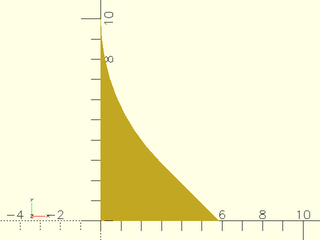
include <BOSL2/std.scad>
mask2d_teardrop(r=10,$fn=64);
Example 2: 2D Teardrop Mask for acute angle
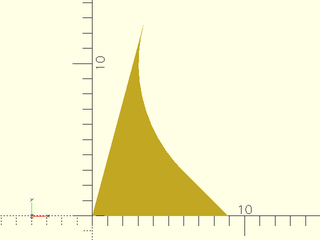
include <BOSL2/std.scad>
mask2d_teardrop(r=10, mask_angle=75,$fn=64);
Example 3: 2D Teardrop Mask for obtuse angle, specifying height
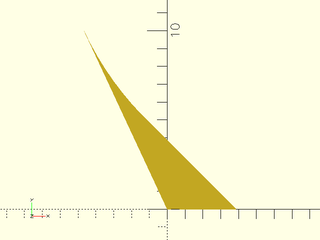
include <BOSL2/std.scad>
mask2d_teardrop(h=10, mask_angle=115,$fn=128);
Example 4: Increasing Excess
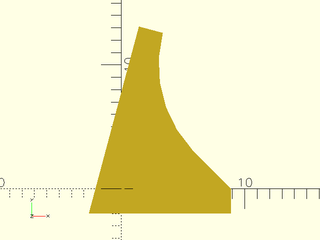
include <BOSL2/std.scad>
mask2d_teardrop(r=10, mask_angle=75, excess=2);
Example 5: Using a Custom Angle
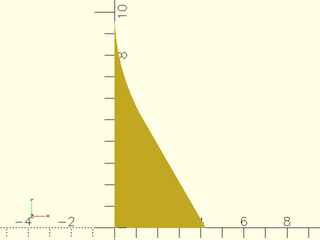
include <BOSL2/std.scad>
mask2d_teardrop(r=10,angle=30,$fn=128);
Example 6: With an acute mask_angle you can choose an angle of zero:
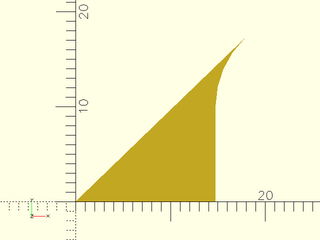
include <BOSL2/std.scad>
mask2d_teardrop(r=10,mask_angle=44,angle=0);
Example 7: With an acute mask_angle you can even choose a negative angle
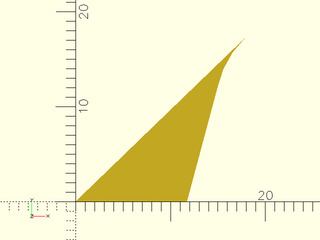
include <BOSL2/std.scad>
mask2d_teardrop(r=10,mask_angle=44,angle=-15);
Example 8: With an obtuse angle you need to choose a larger angle. Here we add inset.
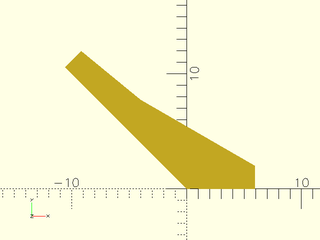
include <BOSL2/std.scad>
mask2d_teardrop(h=10, mask_angle=135,angle=60, inset=2);
Example 9: Same thing with flat_top=true.
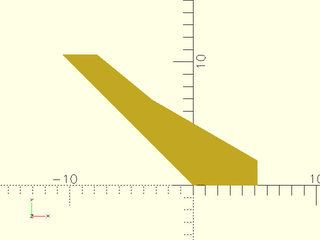
include <BOSL2/std.scad>
mask2d_teardrop(h=10, mask_angle=135,angle=60, inset=2, flat_top=true);
Example 10: Masking by Edge Attachment
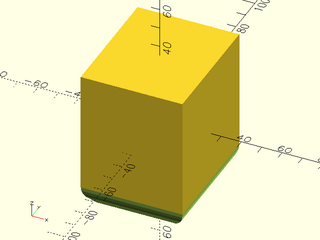
include <BOSL2/std.scad>
diff()
cube([50,60,70],center=true)
    edge_profile(BOT)
        mask2d_teardrop(r=10, angle=40);
Example 11: Making an interior teardrop fillet
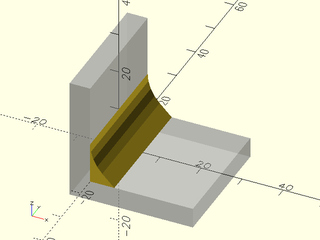
include <BOSL2/std.scad>
%render() difference() {
    move(-[5,0,5]) cube(30, anchor=BOT+LEFT);
    cube(310, anchor=BOT+LEFT);
}
xrot(90)
    linear_extrude(height=30, center=true)
        mask2d_teardrop(r=10);
Function/Module: mask2d_cove()
Synopsis: Creates a 2D cove (quarter-round) mask shape. [Geom] [Path]
Topics: Shapes (2D), Paths (2D), Path Generators, Attachable, Masks (2D)
See Also: corner_profile(), edge_profile(), face_profile()
Usage: As module
- mask2d_cove(r|d=|h=|height=, [inset], [mask_angle], [excess], [bulge=], [flat_top=], [quarter_round=]) [ATTACHMENTS];
Usage: As function
- path = mask2d_cove(r|d=|h=, [inset], [mask_angle], [excess], [bulge=], [flat_top=]);
Description:
Creates a 2D cove mask shape that is useful for extruding into a 3D mask for an edge. Conversely, you can use that same extruded shape to make an interior rounded shelf decoration between two walls. As a 2D mask, this is designed to be differenced away from the edge of a shape that with its corner at the origin and one edge on the X+ axis and the other mask_angle degrees counterclockwise from the X+ axis. If called as a function, returns a 2D path of the outline of the mask shape.
If you need coves to agree on edges of different mask_angle, e.g. on the top of a prismoid, then you need all of the
masks used to have the same height. You can get the same height by setting the height parameter. For obtuse angles, however, the cove mask may not
have is maximum height at the edge, which means it won't mate with adjacent coves. You can fix this using flat_top=true which extends the circle
with a line to maintain a flat top. Another way to fix it is to set bulge. You can also achieve constant height using the quarter_round= option,
which uses a quarter circle of the specified size for all mask_angle values. This option often produces a nice result because coves all terminate in a
plane at 90 degrees.
Arguments:
| By Position | What it does |
|---|---|
r |
Radius of the cove. |
inset |
Optional amount to inset in the perpendicular direction from the edges. Scalar or 2-vector. Default: 0 |
mask_angle |
Number of degrees in the corner angle to mask. Default: $edge_angle if defined, otherwise 90 |
excess |
Extra amount of mask shape to creates on the X and quasi-Y sides of the shape. Default: 0.01 |
| By Name | What it does |
|---|---|
d |
Diameter of the cove. |
h / height |
Mask height, excluding inset and excess. Given instead of r or d when you want a consistent mask height, no matter what the mask angle. |
bulge |
specify arc as the distance away from a straight line chamfer. The arc will not meet the sides at a 90 deg angle. |
quarter_round |
If true, make cove independent of the mask_angle, defined based on a quarter circle, with angle-independent radius. The mask will have constant height. Default: false. |
flat_top |
If true, the top inset of the mask will be horizontal instead of angled by the mask_angle. In the case of obtuse angles force the mask to have a flat section at its left side instead of a circular arc. Default: true if quarter_round is set, false otherwise. |
anchor |
Translate so anchor point is at origin (0,0,0). See anchor. Default: CENTER |
spin |
Rotate this many degrees around the Z axis after anchor. See spin. Default: 0 |
Example 1: 2D Cove Mask by Radius
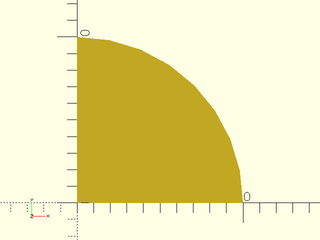
include <BOSL2/std.scad>
mask2d_cove(r=10);
Example 2: 2D Inset Cove Mask (not much different than a regular cove of larger radius)
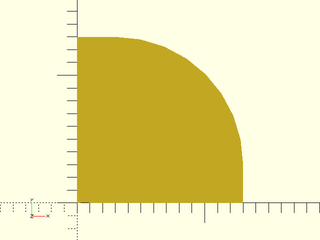
include <BOSL2/std.scad>
mask2d_cove(r=10,inset=3);
Example 3: 2D Cove Mask for acute angle, specified by height, with the bulge set to change the curve. Note that the circular arc is not perpendicular to the sides.
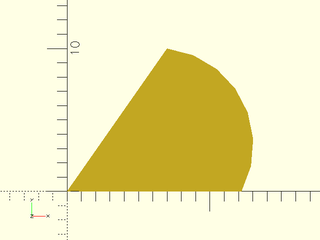
include <BOSL2/std.scad>
mask2d_cove(h=10,mask_angle=55, bulge=3);
Example 4: 2D Cove Mask for obtuse angle, specified by height. This will produce an odd result if combined with other masks because the maximum height is in the middle.
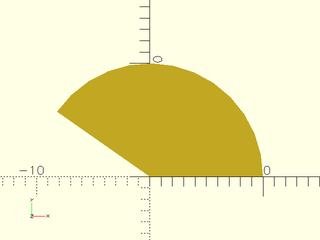
include <BOSL2/std.scad>
mask2d_cove(h=10,mask_angle=145);
Example 5: 2D Cove Mask for obtuse angle with flat top. This is one solution to the problem of the previous example. Max height is achieved at the left corner.
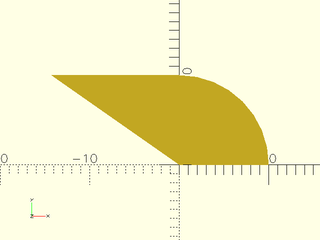
include <BOSL2/std.scad>
mask2d_cove(h=10,mask_angle=145,flat_top=true);
Example 6: 2D Cove Mask for obtuse angle, specified by height with bulge parameter. Another way to fix the problem of the previous example: the max height is again achieved at the left corner.
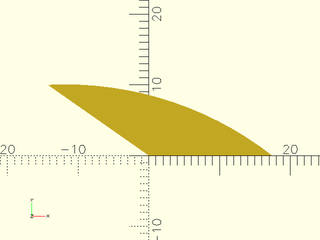
include <BOSL2/std.scad>
mask2d_cove(h=10,mask_angle=145, bulge=3, $fn=128);
Example 7: 2D Cove Mask for acute angle with quarter_round enabled
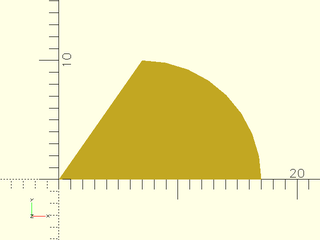
include <BOSL2/std.scad>
mask2d_cove(r=10,mask_angle=55,quarter_round=true);
Example 8: 2D Cove Mask for obtuse angle, specified by height. Note that flat_top is on by default in quarter_round mode.
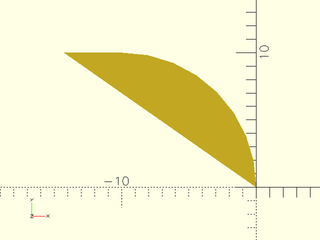
include <BOSL2/std.scad>
mask2d_cove(r=10,mask_angle=145,quarter_round=true);
Example 9: Increasing the Excess
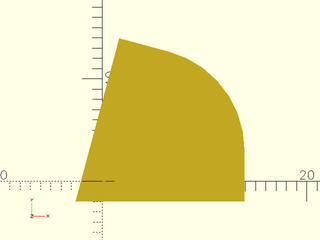
include <BOSL2/std.scad>
mask2d_cove(r=10,inset=3,mask_angle=75, excess=2);
Example 10: Masking by Edge Attachment
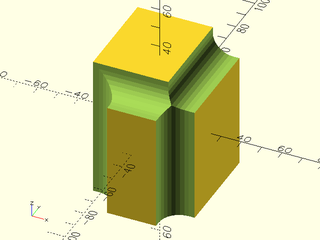
include <BOSL2/std.scad>
diff()
cube([50,60,70],center=true)
    edge_profile([TOP,"Z"],except=[BACK,TOP+LEFT])
        mask2d_cove(h=10, inset=3);
Example 11: Making an interior rounded shelf
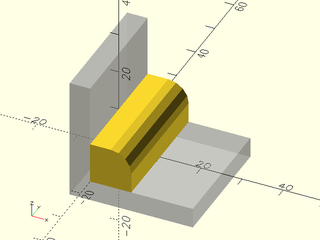
include <BOSL2/std.scad>
%render() difference() {
    move(-[5,0,5]) cube(30, anchor=BOT+LEFT);
    cube(310, anchor=BOT+LEFT);
}
xrot(90)
    linear_extrude(height=30, center=true)
        mask2d_cove(r=5, inset=5);
Example 12: A cove on top of an extreme prismoid top by setting height and using flat_top mode. This creates long flat tops sections at obtuse angles.
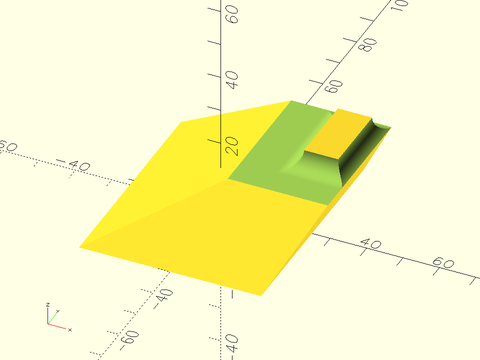
include <BOSL2/std.scad>
diff()
prismoid([50,60], [20,30], h=20, shift=[25,16])
    edge_profile(TOP, excess=20)
        mask2d_cove(h=5, inset=0, mask_angle=$edge_angle, flat_top=true, $fn=128);
Example 13: Cove on an extreme prismoid top by setting height and bulge. Obtuse angles have long curved sections.
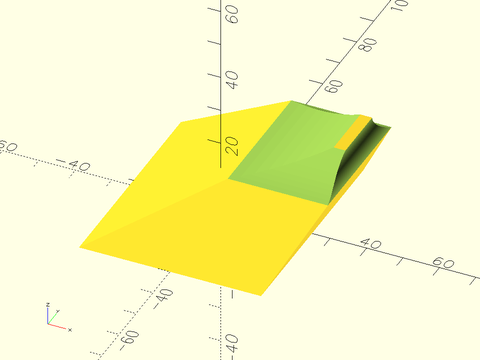
include <BOSL2/std.scad>
diff()
prismoid([50,60], [20,30], h=20, shift=[25,16])
    edge_profile(TOP, excess=20)
        mask2d_cove(h=5, inset=0, mask_angle=$edge_angle, bulge=1, $fn=128);
Example 14: Rounding an extreme prismoid top using quarter_round. Another way to handle this situation.
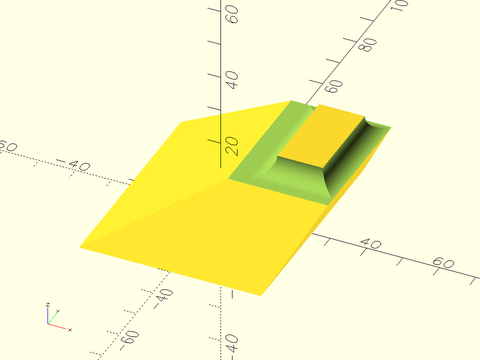
include <BOSL2/std.scad>
diff()
prismoid([50,60], [20,30], h=20, shift=[25,16])
    edge_profile(TOP, excess=20)
        mask2d_cove(r=5, inset=0, mask_angle=$edge_angle, quarter_round=true, $fn=128);
Function/Module: mask2d_chamfer()
Synopsis: Produces a 2D chamfer mask shape. [Geom] [Path]
Topics: Shapes (2D), Paths (2D), Path Generators, Attachable, Masks (2D)
See Also: corner_profile(), edge_profile(), face_profile()
Usage: As Module
- mask2d_chamfer(edge, [angle], [inset], [excess]) [ATTACHMENTS];
- mask2d_chamfer(y=, [angle=], [inset=], [excess=]) [ATTACHMENTS];
- mask2d_chamfer(x=, [angle=], [inset=], [excess=]) [ATTACHMENTS];
Usage: As Function
- path = mask2d_chamfer(edge, [angle], [inset], [excess]);
- path = mask2d_chamfer(y=, [angle=], [inset=], [excess=]);
- path = mask2d_chamfer(x=, [angle=], [inset=], [excess=]);
Description:
Creates a 2D chamfer mask shape that is useful for extruding into a 3D mask for an edge. Conversely, you can use that same extruded shape to make an interior chamfer between two walls. As a 2D mask, this is designed to be differenced away from the edge of a shape that with its corner at the origin and one edge on the X+ axis and the other mask_angle degrees counterclockwise from the X+ axis. If called as a function, returns a 2D path of the outline of the mask shape. The edge parameter specifies the length of the chamfer's slanted edge. The x parameter specifies the width. The y parameter specfies the length of the non-horizontal arm of the chamfer. The height specifies the height of the chamfer independent of angle. You can specify any combination of parameters that determines a chamfer geometry.
Arguments:
| By Position | What it does |
|---|---|
edge |
The length of the edge of the chamfer. |
angle |
The angle of the chamfer edge, away from vertical. Default: mask_angle/2. |
inset |
Optional amount to inset perpendicular to each edge. Scalar or 2-vector. Default: 0 |
mask_angle |
Number of degrees in the corner angle to mask. Default: $edge_angle if defined, otherwise 90 |
excess |
Extra amount of mask shape to creates on the X- and Y- sides of the shape. Default: 0.01 |
| By Name | What it does |
|---|---|
x |
The width of the chamfer (joint distance in x direction) |
y |
The set-back (joint distance) in the non-x direction of the chamfer. |
h / height |
The height of the chamfer (excluding inset and excess). |
w / width |
The width of the chamfer (excluding inset and excess). |
quarter_round |
If true, make a roundover independent of the mask_angle, defined based on a 90 deg angle, with a constant height. Default: false. |
flat_top |
If true, the top inset of the mask will be horizontal instead of angled by the mask_angle. Default: true. |
anchor |
Translate so anchor point is at origin (0,0,0). See anchor. Default: CENTER |
spin |
Rotate this many degrees around the Z axis after anchor. See spin. Default: 0 |
Example 1: 2D Chamfer Mask, at 45 deg by default
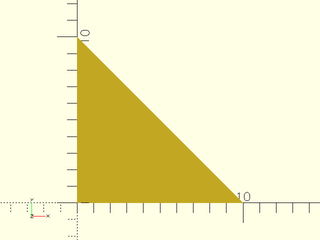
include <BOSL2/std.scad>
mask2d_chamfer(x=10);
Example 2: 2D Chamfer Mask, at 30 deg (measured down from vertical)
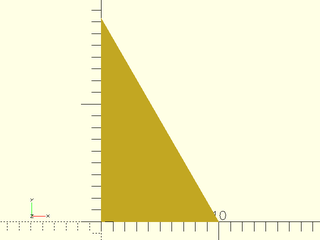
include <BOSL2/std.scad>
mask2d_chamfer(x=10,angle=30);
Example 3: 2D Chamfer Mask on an acute angle. The default chamfer angle is to produce a symmetric chamfer.
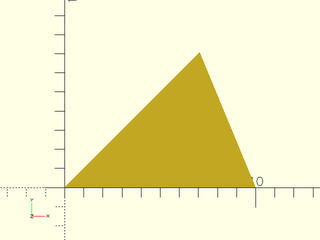
include <BOSL2/std.scad>
mask2d_chamfer(x=10,mask_angle=45);
Example 4: 2D Chamfer Mask on an acute angle. Here we specify the angle of the chamfer
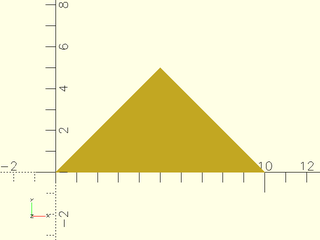
include <BOSL2/std.scad>
mask2d_chamfer(x=10,mask_angle=45,angle=45);
Example 5: 2D Chamfer Mask specified by x and y length
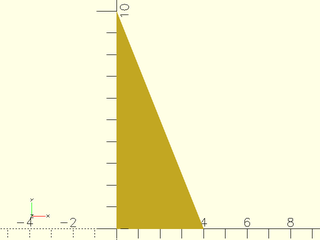
include <BOSL2/std.scad>
mask2d_chamfer(x=4,y=10);
Example 6: 2D Chamfer Mask specified by x and y length. The y length is along the top side of the chamfer, not parallel to the Y axis.
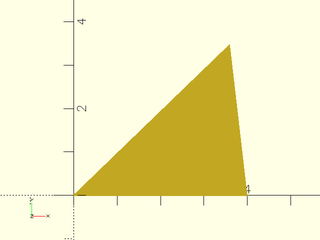
include <BOSL2/std.scad>
mask2d_chamfer(x=4,y=5,mask_angle=44);
Example 7: 2D Chamfer Mask specified by width and height.
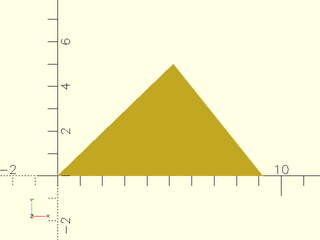
include <BOSL2/std.scad>
mask2d_chamfer(w=4,h=5,mask_angle=44);
Example 8: 2D Chamfer Mask on obtuse angle, specifying x. The right tip is 10 units from the origin.
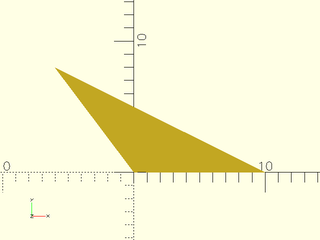
include <BOSL2/std.scad>
mask2d_chamfer(x=10,mask_angle=127);
Example 9: 2D Chamfer Mask on obtuse angle, specifying width. The entire width is 10.
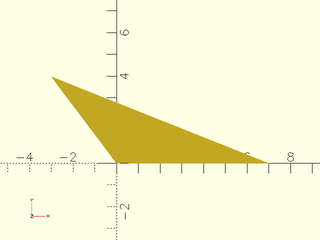
include <BOSL2/std.scad>
mask2d_chamfer(w=10,mask_angle=127);
Example 10: 2D Chamfer Mask by edge
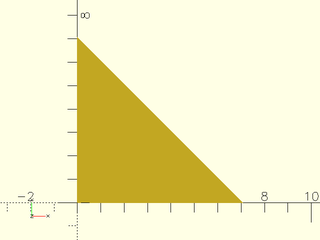
include <BOSL2/std.scad>
mask2d_chamfer(edge=10);
Example 11: 2D Chamfer Mask by edge, acute case
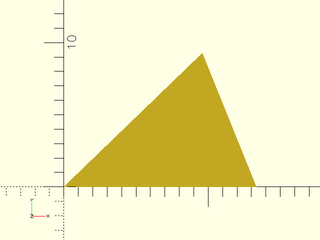
include <BOSL2/std.scad>
mask2d_chamfer(edge=10, mask_angle=44);
Example 12: 2D Chamfer Mask by edge, obtuse case
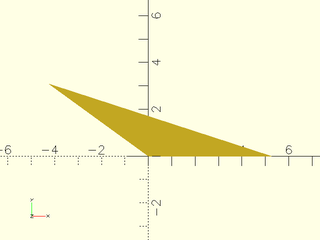
include <BOSL2/std.scad>
mask2d_chamfer(edge=10, mask_angle=144);
Example 13: 2D Chamfer Mask by edge and angle
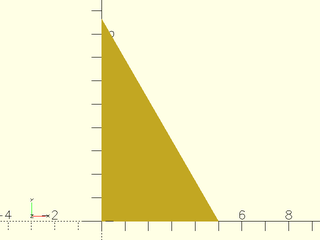
include <BOSL2/std.scad>
mask2d_chamfer(edge=10, angle=30);
Example 14: 2D Chamfer Mask by edge and x
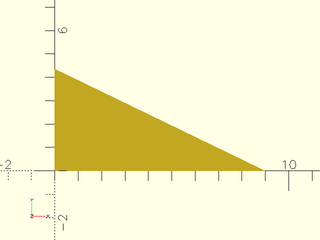
include <BOSL2/std.scad>
mask2d_chamfer(edge=10, x=9);
Example 15: 2D Inset Chamfer Mask
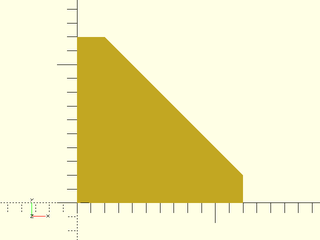
include <BOSL2/std.scad>
mask2d_chamfer(x=10, inset=2);
Example 16: 2D Inset Chamfer Mask on acute angle
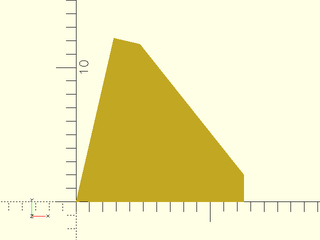
include <BOSL2/std.scad>
mask2d_chamfer(x=10, inset=2, mask_angle=77);
Example 17: 2D Inset Chamfer Mask on acute angle with flat top
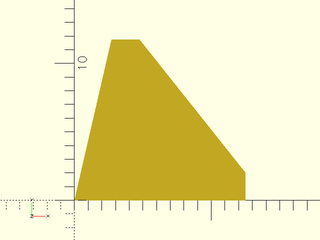
include <BOSL2/std.scad>
mask2d_chamfer(x=10, inset=2, mask_angle=77, flat_top=true);
Example 18: Masking by Edge Attachment
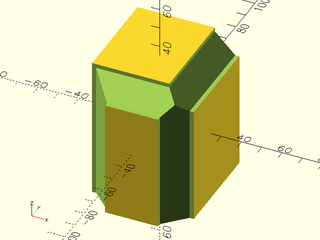
include <BOSL2/std.scad>
diff()
cube([50,60,70],center=true)
    edge_profile([TOP,"Z"],except=[BACK,TOP+LEFT])
        mask2d_chamfer(x=10, inset=2);
Example 19: Making an interior chamfer
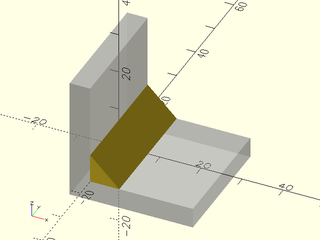
include <BOSL2/std.scad>
%render() difference() {
    move(-[5,0,5]) cube(30, anchor=BOT+LEFT);
    cube(310, anchor=BOT+LEFT);
}
xrot(90)
    linear_extrude(height=30, center=true)
        mask2d_chamfer(edge=10);
Example 20: Chamfering an extreme prismoid by setting height
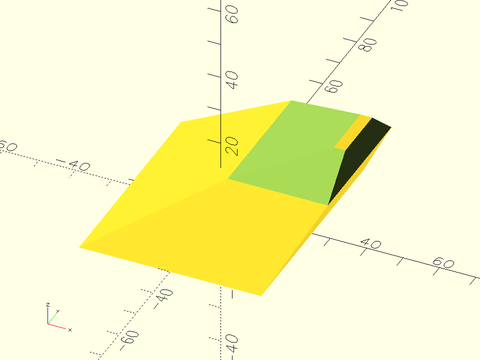
include <BOSL2/std.scad>
diff()
prismoid([50,60], [20,30], h=20, shift=[25,16])
    edge_profile(TOP, excess=20)//let(f=$edge_angle)
        mask2d_chamfer(h=5,mask_angle=$edge_angle);
Example 21: Chamfering an extreme prismoid with a fixed chamfer angle. Note that a very large chamfer angle is required because of the large obtuse angles.
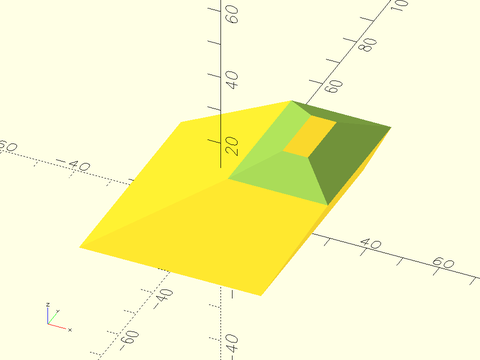
include <BOSL2/std.scad>
diff()
prismoid([50,60], [20,30], h=20, shift=[25,16])
    edge_profile(TOP, excess=20)//let(f=$edge_angle)
        mask2d_chamfer(h=5,mask_angle=$edge_angle,angle=64);
Example 22: Chamfering an extreme prismoid by setting height with inset and flat_top=true.
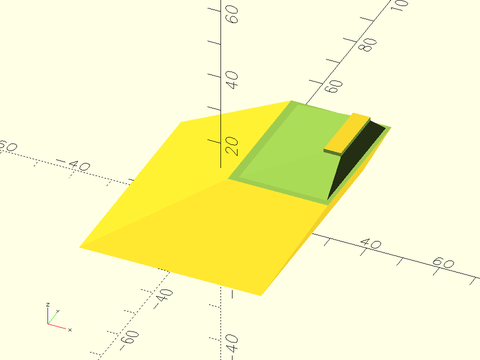
include <BOSL2/std.scad>
diff()
prismoid([50,60], [20,30], h=20, shift=[25,16])
    edge_profile(TOP, excess=20)//let(f=$edge_angle)
        mask2d_chamfer(h=4,inset=1,flat_top=true,mask_angle=$edge_angle);
Function/Module: mask2d_rabbet()
Synopsis: Creates a rabbet mask shape. [Geom] [Path]
Topics: Shapes (2D), Paths (2D), Path Generators, Attachable, Masks (2D)
See Also: corner_profile(), edge_profile(), face_profile()
Usage: As Module
- mask2d_rabbet(size, [mask_angle], [excess]) [ATTACHMENTS];
Usage: As Function
- path = mask2d_rabbet(size, [mask_angle], [excess]);
Description:
Creates a 2D rabbet mask shape. When differenced away, this mask creates at the corner a rectanguler space of the specified size. This mask can be extruding into a 3D mask for an edge, or you can use that same extruded shape to make an interior shelf decoration between two walls. As a 2D mask, this is designed to be differenced away from the edge of a shape that with its corner at the origin and one edge on the X+ axis and the other mask_angle degrees counterclockwise from the X+ axis. If called as a function, returns a 2D path of the outline of the mask shape.
Arguments:
| By Position | What it does |
|---|---|
size |
The size of the rabbet, either as a scalar or an [X,Y] list. |
mask_angle |
Number of degrees in the corner angle to mask. Default: $edge_angle if defined, otherwise 90 |
excess |
Extra amount of mask shape to creates on the X and quasi-Y sides of the shape. Default: 0.01 |
| By Name | What it does |
|---|---|
anchor |
Translate so anchor point is at origin (0,0,0). See anchor. Default: CENTER |
spin |
Rotate this many degrees around the Z axis after anchor. See spin. Default: 0 |
Example 1: 2D Rabbet Mask
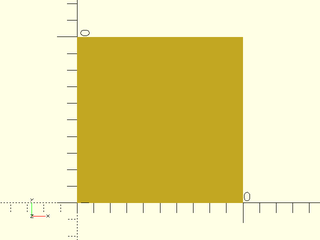
include <BOSL2/std.scad>
mask2d_rabbet(size=10);
Example 2: 2D Asymmetrical Rabbet Mask
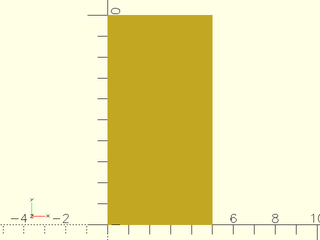
include <BOSL2/std.scad>
mask2d_rabbet(size=[5,10]);
Example 3: 2D Mask for a acute angle edge
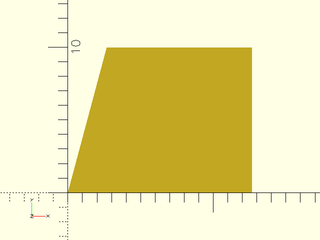
include <BOSL2/std.scad>
mask2d_rabbet(size=10, mask_angle=75);
Example 4: 2D Mask for obtuse angle edge. If the obtuse angle is too large the rabbet will not fit. If that happens, you will need to increase the rabbet width.
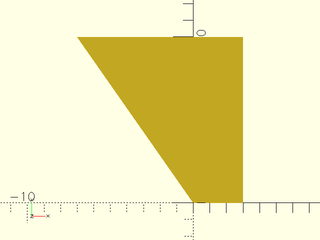
include <BOSL2/std.scad>
mask2d_rabbet(size=10, mask_angle=125);
Example 5: Masking by Edge Attachment
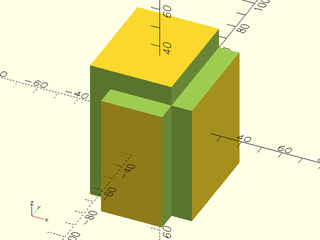
include <BOSL2/std.scad>
diff()
cube([50,60,70],center=true)
    edge_profile([TOP,"Z"],except=[BACK,TOP+LEFT])
        mask2d_rabbet(size=10);
Example 6: Making an interior shelf
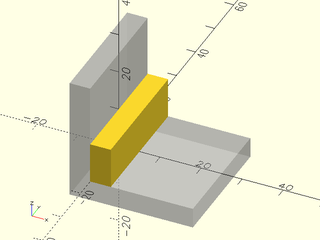
include <BOSL2/std.scad>
%render() difference() {
    move(-[5,0,5]) cube(30, anchor=BOT+LEFT);
    cube(310, anchor=BOT+LEFT);
}
xrot(90)
    linear_extrude(height=30, center=true)
        mask2d_rabbet(size=[5,10]);
Function/Module: mask2d_dovetail()
Synopsis: Creates a 2D dovetail mask shape. [Geom] [Path]
Topics: Masks (2D), Shapes (2D), Paths (2D), Path Generators, Attachable
See Also: corner_profile(), edge_profile(), face_profile()
Usage: As Module
- mask2d_dovetail(edge, angle, [inset], [shelf], [excess], ...) [ATTACHMENTS];
- mask2d_dovetail(width=, angle=, [inset=], [shelf=], [excess=], ...) [ATTACHMENTS];
- mask2d_dovetail(height=, angle=, [inset=], [shelf=], [excess=], ...) [ATTACHMENTS];
- mask2d_dovetail(width=, height=, [inset=], [shelf=], [excess=], ...) [ATTACHMENTS];
Usage: As Function
- path = mask2d_dovetail(edge, [angle], [inset], [shelf], [excess]);
Description:
Creates a 2D dovetail mask shape that is useful for extruding into a 3D mask for a 90° edge. Conversely, you can use that same extruded shape to make an interior dovetail between two walls at a 90º angle. As a 2D mask, this is designed to be differenced away from the edge of a shape that with its corner at the origin and one edge on the X+ axis and the other mask_angle degrees counterclockwise from the X+ axis. If called as a function, returns a 2D path of the outline of the mask shape.
Arguments:
| By Position | What it does |
|---|---|
edge |
The length of the edge of the dovetail. |
angle |
The angle of the chamfer edge, away from vertical. |
shelf |
The extra height to add to the inside corner of the dovetail. Default: 0 |
inset |
Optional amount to inset in perpendicular direction from each edge. Default: 0 |
mask_angle |
Number of degrees in the corner angle to mask. Default: $edge_angle if defined, otherwise 90 |
excess |
Extra amount of mask shape to creates on the X and quasi-Y sides of the shape. Default: 0.01 |
| By Name | What it does |
|---|---|
width |
The width of the dovetail (excluding any inset) |
height |
The height of the dovetail (excluding any inset or shelf). |
flat_top |
If true, the top inset of the mask will be horizontal instead of angled by the mask_angle. Default: true. |
anchor |
Translate so anchor point is at origin (0,0,0). See anchor. Default: CENTER |
spin |
Rotate this many degrees around the Z axis after anchor. See spin. Default: 0 |
Example 1: 2D Dovetail Mask
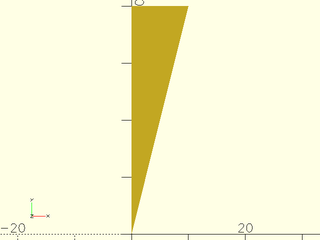
include <BOSL2/std.scad>
mask2d_dovetail(width=10,angle=14);
Example 2: 2D Dovetail Mask by height and slope. A slope of 1/6 is a common choice.
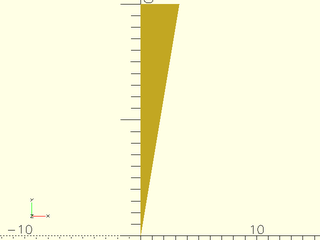
include <BOSL2/std.scad>
mask2d_dovetail(height=20, slope=1/6);
Example 3: 2D Inset Dovetail Mask to make the dovetail wider
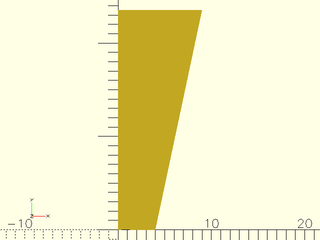
include <BOSL2/std.scad>
mask2d_dovetail(width=5, angle=12, inset=[4,0]);
Example 4: 2D Inset Dovetail Mask on an obtuse angle
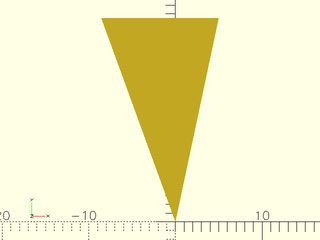
include <BOSL2/std.scad>
mask2d_dovetail(width=5, mask_angle=110, angle=12);
Example 5: 2D Inset Dovetail Mask on an acute angle will generally require an inset in order to fit.
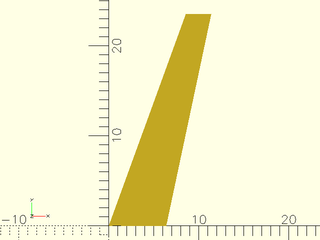
include <BOSL2/std.scad>
mask2d_dovetail(width=5, mask_angle=70, angle=12, inset=[6,0]);
Example 6: 2D dovetail mask by edge length and angle
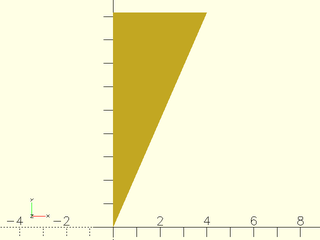
include <BOSL2/std.scad>
mask2d_dovetail(edge=10,width=4);
Example 7: 2D dovetail mask by width and height
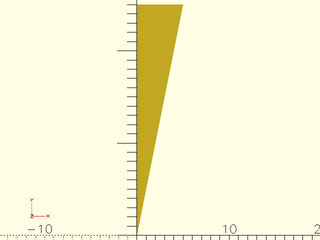
include <BOSL2/std.scad>
mask2d_dovetail(width=5,height=25);
Example 8: Masking by Edge Attachment
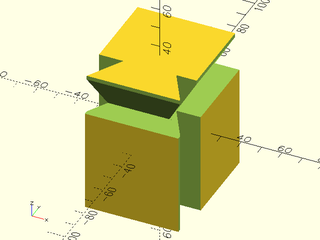
include <BOSL2/std.scad>
diff()
cube([50,60,70],center=true)
    edge_profile([TOP,"Z"],except=[BACK,TOP+LEFT])
        mask2d_dovetail(width=10, angle=30, inset=2);
Example 9: Making an interior dovetail
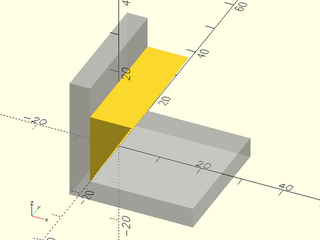
include <BOSL2/std.scad>
%render() difference() {
    move(-[5,0,5]) cube(30, anchor=BOT+LEFT);
    cube(310, anchor=BOT+LEFT);
}
xrot(90)
    linear_extrude(height=30, center=true)
        mask2d_dovetail(width=10,angle=30);
Function/Module: mask2d_ogee()
Synopsis: Creates a 2D ogee mask shape. [Geom] [Path]
Topics: Shapes (2D), Paths (2D), Path Generators, Attachable, Masks (2D)
See Also: corner_profile(), edge_profile(), face_profile()
Usage: As Module
- mask2d_ogee(pattern, [excess], ...) [ATTACHMENTS];
Usage: As Function
- path = mask2d_ogee(pattern, [excess], ...);
Description:
Creates a 2D Ogee mask shape that is useful for extruding into a 3D mask for a 90° edge.
Conversely, you can use that same extruded shape to make an interior ogee decoration between two walls at a 90º angle.
As a 2D mask, this is designed to be differenced away from the edge of a shape that with its corner at the origin and one edge on the X+ axis and the other mask_angle degrees counterclockwise from the X+ axis.
Since there are a number of shapes that fall under the name ogee, the shape of this mask is given as a pattern.
Patterns are given as TYPE, VALUE pairs. ie: ["fillet",10, "xstep",2, "step",[5,5], ...]. See Patterns below.
If called as a function, returns a 2D path of the outline of the mask shape.
Patterns
| Type | Argument | Description |
|---|---|---|
| "step" | [x,y] | Makes a line to a point x right and y down. |
| "xstep" | dist | Makes a dist length line towards X+. |
| "ystep" | dist | Makes a dist length line towards Y-. |
| "round" | radius | Makes an arc that will mask a roundover. |
| "fillet" | radius | Makes an arc that will mask a fillet. |
Arguments:
| By Position | What it does |
|---|---|
pattern |
A list of pattern pieces to describe the Ogee. |
excess |
Extra amount of mask shape to creates on the X- and Y- sides of the shape. Default: 0.01 |
| By Name | What it does |
|---|---|
anchor |
Translate so anchor point is at origin (0,0,0). See anchor. Default: CENTER |
spin |
Rotate this many degrees around the Z axis after anchor. See spin. Default: 0 |
Example 1: 2D Ogee Mask
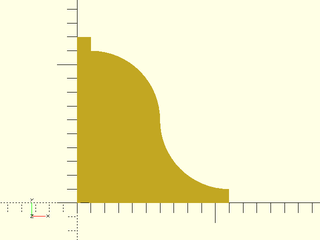
include <BOSL2/std.scad>
mask2d_ogee([
    "xstep",1,  "ystep",1,  // Starting shoulder.
    "fillet",5, "round",5,  // S-curve.
    "ystep",1,  "xstep",1   // Ending shoulder.
]);
Example 2: Masking by Edge Attachment
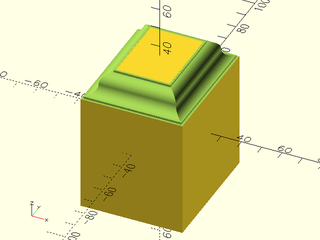
include <BOSL2/std.scad>
diff()
cube([50,60,70],center=true)
    edge_profile(TOP)
        mask2d_ogee([
            "xstep",1,  "ystep",1,  // Starting shoulder.
            "fillet",5, "round",5,  // S-curve.
            "ystep",1,  "xstep",1   // Ending shoulder.
        ]);
Example 3: Making an interior ogee
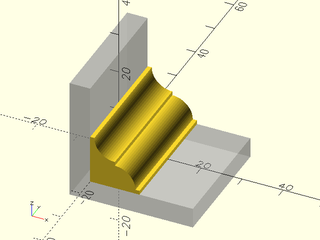
include <BOSL2/std.scad>
%render() difference() {
    move(-[5,0,5]) cube(30, anchor=BOT+LEFT);
    cube(310, anchor=BOT+LEFT);
}
xrot(90)
    linear_extrude(height=30, center=true)
        mask2d_ogee([
            "xstep", 1, "round",5,
            "ystep",1, "fillet",5,
            "xstep", 1, "ystep", 1,
        ]);
Section: Modules for Applying 2D Masks
Module: face_profile()
Synopsis: Extrudes a 2D edge profile into a mask for all edges and corners of the given faces on the parent. [Geom]
Topics: Attachments, Masking
See Also: attachable(), position(), attach(), edge_profile(), corner_profile(), face_mask(), edge_mask(), corner_mask()
Usage:
- PARENT() face_profile(faces, r|d=, [convexity=]) CHILDREN;
Description:
Given a 2D edge profile, extrudes it into a mask for all edges and corners bounding each given face. If no tag is set
then face_profile sets the tag for children to "remove" so that it works with the default diff() tag.
See Specifying Faces for information on specifying faces.
For a step-by-step explanation of masking attachments, see the Attachments Tutorial.
Arguments:
| By Position | What it does |
|---|---|
faces |
Faces to mask edges and corners of. |
r |
Radius of corner mask. |
| By Name | What it does |
|---|---|
d |
Diameter of corner mask. |
excess |
Excess length to extrude the profile to make edge masks. Default: 0.01 |
convexity |
Max number of times a line could intersect the perimeter of the mask shape. Default: 10 |
Side Effects:
- Tags the children with "remove" (and hence sets
$tag) if no tag is already set. $idxis set to the index number of each face.$attach_anchoris set for each edge or corner given, to the[ANCHOR, POSITION, ORIENT, SPIN]information for that anchor.$profile_typeis set to"edge"or"corner", depending on what is being masked.
Example 1:
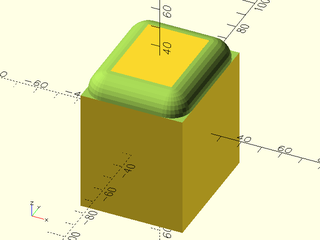
include <BOSL2/std.scad>
diff()
cube([50,60,70],center=true)
    face_profile(TOP,r=10)
        mask2d_roundover(r=10);
Module: edge_profile()
Synopsis: Extrudes a 2d edge profile into a mask on the given edges of the parent. [Geom]
Topics: Attachments, Masking
See Also: attachable(), position(), attach(), face_profile(), edge_profile_asym(), corner_profile(), edge_mask(), face_mask(), corner_mask()
Usage:
- PARENT() edge_profile([edges], [except], [convexity]) CHILDREN;
Description:
Takes a 2D mask shape and attaches it to the selected edges, with the appropriate orientation and
extruded length to be diff()ed away, to give the edge a matching profile. If no tag is set
then edge_profile sets the tag for children to "remove" so that it works with the default diff() tag.
For details on specifying the edges to mask see Specifying Edges.
For a step-by-step explanation of masking attachments, see the Attachments Tutorial.
Arguments:
| By Position | What it does |
|---|---|
edges |
Edges to mask. See Specifying Edges. Default: All edges. |
except |
Edges to explicitly NOT mask. See Specifying Edges. Default: No edges. |
excess |
Excess length to extrude the profile to make edge masks. Default: 0.01 |
convexity |
Max number of times a line could intersect the perimeter of the mask shape. Default: 10 |
Side Effects:
- Tags the children with "remove" (and hence sets
$tag) if no tag is already set. $idxis set to the index number of each edge.$attach_anchoris set for each edge given, to the[ANCHOR, POSITION, ORIENT, SPIN]information for that anchor.$profile_typeis set to"edge".$edge_angleis set to the inner angle of the current edge.
Example 1:
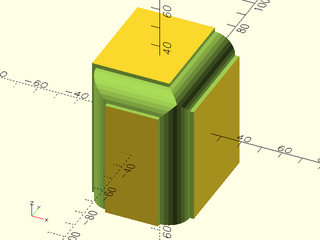
include <BOSL2/std.scad>
diff()
cube([50,60,70],center=true)
    edge_profile([TOP,"Z"],except=[BACK,TOP+LEFT])
        mask2d_roundover(r=10, inset=2);
Example 2: Using $edge_angle on a conoid

include <BOSL2/std.scad>
diff()
cyl(d1=50, d2=30, l=40, anchor=BOT) {
    edge_profile([TOP,BOT], excess=10, convexity=6) {
        mask2d_roundover(r=8, inset=1, excess=1, mask_angle=$edge_angle);
    }
}
Example 3: Using $edge_angle on a prismoid
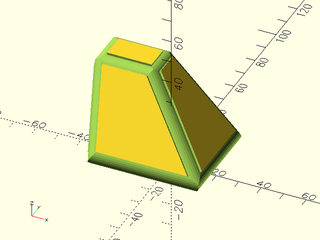
include <BOSL2/std.scad>
diff()
prismoid([60,50],[30,20],h=40,shift=[-25,15]) {
    edge_profile(excess=10, convexity=20) {
        mask2d_roundover(r=5,inset=1,mask_angle=$edge_angle,$fn=32);
    }
}
Module: edge_profile_asym()
Synopsis: Extrudes an asymmetric 2D profile into a mask on the given edges and corners of the parent. [Geom]
Topics: Attachments, Masking
See Also: attachable(), position(), attach(), face_profile(), edge_profile(), corner_profile(), edge_mask(), face_mask(), corner_mask()
Usage:
- PARENT() edge_profile([edges], [except], [convexity=], [flip=], [corner_type=]) CHILDREN;
Description:
Takes an asymmetric 2D mask shape and attaches it to the selected edges and corners, with the appropriate
orientation and extruded length to be diff()ed away, to give the edges and corners a matching profile.
If no tag is set then edge_profile_asym() sets the tag for children to "remove" so that it works
with the default diff() tag. For details on specifying the edges to mask see Specifying Edges.
For a step-by-step explanation of masking attachments, see the Attachments Tutorial.
The asymmetric profiles are joined consistently at the corners. This is impossible if all three edges at a corner use the profile, hence
this situation is not permitted. The profile orientation can be inverted using the flip=true parameter.
The standard profiles are located in the first quadrant and have positive X values. If you provide a profile located in the second quadrant,
where the X values are negative, then it produces a fillet. You can flip any of the standard profiles using xflip().
Do not flip one of the standard first quadrant masks into the 4th quadrant (y<0) using yflip(), as this will not work correctly.
Fillets are always asymmetric because at a given edge, they can blend in two different directions, so even for symmetric profiles,
the asymmetric logic is required. You can set the corner_type parameter to select rounded, chamfered or sharp corners.
However, when the corners are inside (concave) corners, you must provide the size of the profile ([width,height]), because the
this information is required to produce the correct corner and cannot be obtain from the profile itself, which is a child object.
Because the profiles are asymmetric they can be placed on a given edge in two different orientations. It is easiest to understand the orientation by thinking about fillets and in which direction a filleted cube will make a smooth joint. Given a string of connected edges, we must identify the orientation of the fillet at just one edge; the orentation of the fillets on the remaining edges is forced to maintain consistency across the string of edges. The module uses a set of priority rules as follows:
- Bottom
- Top
- Front or Back
What this means is that if an edge string contains any edge on the bottom then the bottom edges will be oriented to join the bottom face
to something, and the rest of the string consistently oriented. If the string contains no bottom edges but it has top edges then
the edge string will be oriented so that the object can join its top face to something. If the string has no top or bottom edges then it
must be just a single edge and it will be is oriented so that either the front or back face of the cube can make a smooth joint.
If the edge orientation is reversed from what you need, set flip=true. If these rules seem complicated, just create your model,
examine the edges, and flip them as required. Note that creating fillets with yflip() may seem similar to setting flip=true and
may partially work but is not the correct way to flip edge profile; it can produce incomplete results.
Arguments:
| By Position | What it does |
|---|---|
edges |
Edges to mask. See Specifying Edges. Default: All edges. |
except |
Edges to explicitly NOT mask. See Specifying Edges. Default: No edges. |
| By Name | What it does |
|---|---|
excess |
Excess length to extrude the profile to make edge masks. Default: 0.01 |
convexity |
Max number of times a line could intersect the perimeter of the mask shape. Default: 10 |
flip |
If true, reverses the orientation of any external profile parts at each edge. Default false |
corner_type |
Specifies how exterior corners should be formed. Must be one of "none", "chamfer", "round", or "sharp". Default: "none" |
size |
If given the width and height of the 2D profile, enable rounding and chamfering of internal corners when given a negative profile. |
Side Effects:
- Tags the children with "remove" (and hence sets
$tag) if no tag is already set. $idxis set to the index number of each edge.$attach_anchoris set for each edge given, to the[ANCHOR, POSITION, ORIENT, SPIN]information for that anchor.$profile_typeis set to"edge".$edge_angleis set to the inner angle of the current edge.
Example 1:
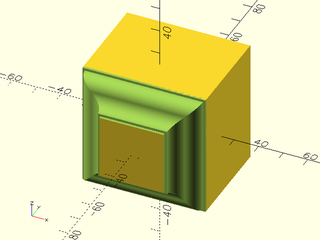
include <BOSL2/std.scad>
ogee = [
    "xstep",1,  "ystep",1,  // Starting shoulder.
    "fillet",5, "round",5,  // S-curve.
    "ystep",1,  "xstep",1   // Ending shoulder.
];
diff()
cuboid(50) {
    edge_profile_asym(FRONT)
       mask2d_ogee(ogee);
}
Example 2: Flipped
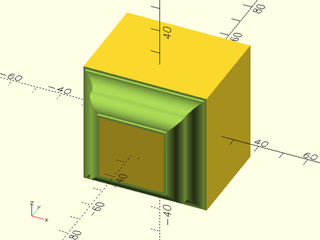
include <BOSL2/std.scad>
ogee = [
    "xstep",1,  "ystep",1,  // Starting shoulder.
    "fillet",5, "round",5,  // S-curve.
    "ystep",1,  "xstep",1   // Ending shoulder.
];
diff()
cuboid(50) {
    edge_profile_asym(FRONT, flip=true)
       mask2d_ogee(ogee);
}
Example 3: Negative Chamfering
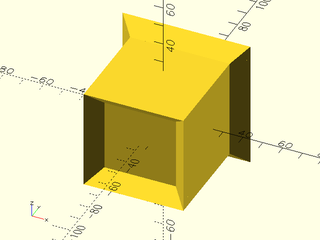
include <BOSL2/std.scad>
cuboid(50) {
    edge_profile_asym(FWD, flip=false)
        xflip() mask2d_chamfer(10);
    edge_profile_asym(BACK, flip=true, corner_type="sharp")
        xflip() mask2d_chamfer(10);
}
Example 4: Negative Roundings
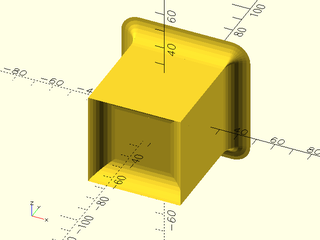
include <BOSL2/std.scad>
cuboid(50) {
    edge_profile_asym(FWD, flip=false)
        xflip() mask2d_roundover(10);
    edge_profile_asym(BACK, flip=true, corner_type="round")
        xflip() mask2d_roundover(10);
}
Example 5: Cornerless
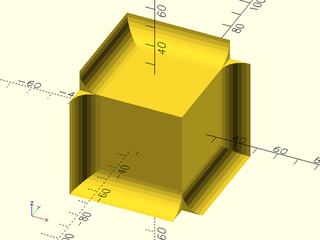
include <BOSL2/std.scad>
cuboid(50) {
    edge_profile_asym(
        "ALL", except=[TOP+FWD+RIGHT, BOT+BACK+LEFT]
     ) xflip() mask2d_roundover(10);
}
Example 6: More complicated edge sets
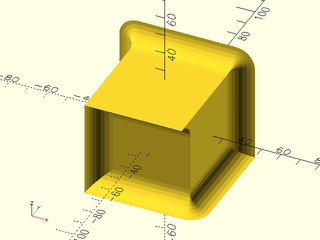
include <BOSL2/std.scad>
cuboid(50) {
    edge_profile_asym(
        [FWD,BACK,BOT+RIGHT], except=[FWD+RIGHT,BOT+BACK],
        corner_type="round"
     ) xflip() mask2d_roundover(10);
}
Example 7: Mixing it up a bit.
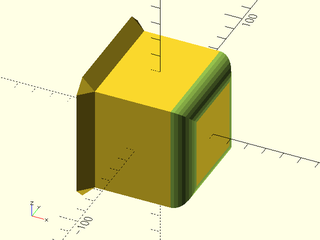
include <BOSL2/std.scad>
diff()
cuboid(60) {
    tag("keep") edge_profile_asym(LEFT, flip=true, corner_type="chamfer")
        xflip() mask2d_chamfer(10);
    edge_profile_asym(RIGHT)
        mask2d_roundover(10);
}
Example 8: Chamfering internal corners.
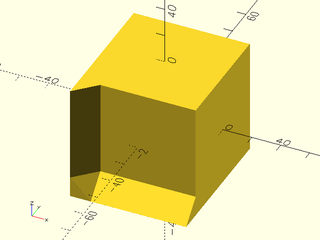
include <BOSL2/std.scad>
cuboid(40) {
    edge_profile_asym(
        [FWD+DOWN,FWD+LEFT],
        corner_type="chamfer", size=[10,10]/sqrt(2)
     ) xflip() mask2d_chamfer(10);
}
Example 9: Rounding internal corners.
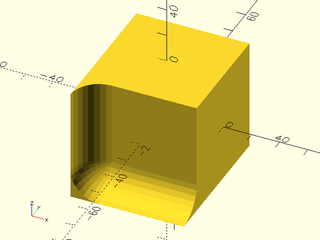
include <BOSL2/std.scad>
cuboid(40) {
    edge_profile_asym(
        [FWD+DOWN,FWD+LEFT],
        corner_type="round", size=[10,10]
     ) xflip() mask2d_roundover(10);
}
Example 10: This string of 3 edges rounds so that the cuboid joins smoothly to the bottom
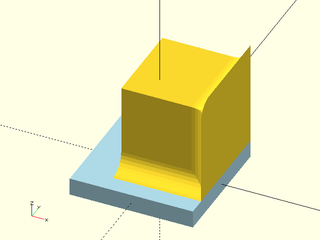
include <BOSL2/std.scad>
color_this("lightblue")cuboid([70,70,10])
  attach(TOP,BOT,align=RIGHT+BACK)
    cuboid(50)
      edge_profile_asym([BOT+FRONT, RIGHT+FRONT, TOP+RIGHT],corner_type="round")
         xflip()mask2d_roundover(10);
Example 11: No top or bottom edges appear in the edge set, so the edges are oriented to joint smoothly to the FRONT and BACK
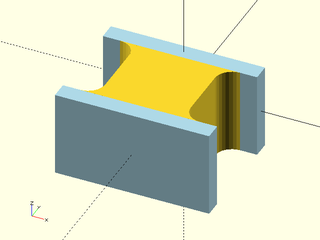
include <BOSL2/std.scad>
color_this("lightblue") cuboid([90,10,50])
  align(FWD) cuboid(50){
    edge_profile_asym("Z",corner_type="round")
      xflip() mask2d_roundover(10);
    align(FWD)
      color_this("lightblue") cuboid([90,10,50]);
  }
Module: corner_profile()
Synopsis: Rotationally extrudes a 2d edge profile into corner mask on the given corners of the parent. [Geom]
Topics: Attachments, Masking
See Also: attachable(), position(), attach(), face_profile(), edge_profile(), corner_mask(), face_mask(), edge_mask()
Usage:
- PARENT() corner_profile([corners], [except], [r=|d=], [convexity=]) CHILDREN;
Description:
Takes a 2D mask shape, rotationally extrudes and converts it into a corner mask, and attaches it
to the selected corners with the appropriate orientation. If no tag is set then corner_profile()
sets the tag for children to "remove" so that it works with the default diff() tag.
See Specifying Corners for information on how to specify corner sets.
For a step-by-step explanation of masking attachments, see the Attachments Tutorial.
Arguments:
| By Position | What it does |
|---|---|
corners |
Corners to mask. See Specifying Corners. Default: All corners. |
except |
Corners to explicitly NOT mask. See Specifying Corners. Default: No corners. |
| By Name | What it does |
|---|---|
r |
Radius of corner mask. |
d |
Diameter of corner mask. |
axis |
Can be set to "X", "Y", or "Z" to specify the axis that the corner mask will be rotated around. Default: "Z" |
convexity |
Max number of times a line could intersect the perimeter of the mask shape. Default: 10 |
Side Effects:
- Tags the children with "remove" (and hence sets
$tag) if no tag is already set. $idxis set to the index number of each corner.$attach_anchoris set for each corner given, to the[ANCHOR, POSITION, ORIENT, SPIN]information for that anchor.$profile_typeis set to"corner".
Example 1:
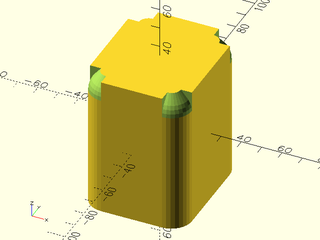
include <BOSL2/std.scad>
diff()
cuboid([50,60,70],rounding=10,edges="Z",anchor=CENTER) {
    corner_profile(TOP,r=10)
        mask2d_teardrop(r=10, angle=40);
}
Example 2: Rotate the mask around the X axis instead.
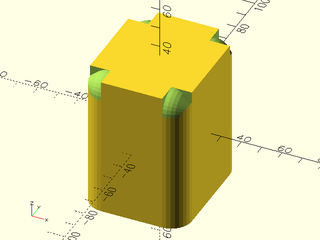
include <BOSL2/std.scad>
diff()
cuboid([50,60,70],rounding=10,edges="Z",anchor=CENTER) {
    corner_profile(TOP,r=10,axis="X")
        mask2d_teardrop(r=10, angle=40);
}
Section: 3D Edge Masks
Module: chamfer_edge_mask()
Synopsis: Creates a shape to chamfer a 90° edge. [Geom]
Topics: Masking, Chamfers, Shapes (3D)
See Also: chamfer_corner_mask(), chamfer_cylinder_mask(), default_tag(), diff()
Usage:
- chamfer_edge_mask(l|h=|length=|height=, chamfer, [excess]) [ATTACHMENTS];
Description:
Creates a shape that can be used to chamfer a 90° edge. Difference it from the object to be chamfered. The center of the mask object should align exactly with the edge to be chamfered.
Arguments:
| By Position | What it does |
|---|---|
l / h / length / height |
Length of mask. Default: $edge_length if defined |
chamfer |
Size of chamfer. |
excess |
The extra amount to add to the length of the mask so that it differences away from other shapes cleanly. Default: 0.1 |
| By Name | What it does |
|---|---|
anchor |
Translate so anchor point is at origin (0,0,0). See anchor. Default: CENTER |
spin |
Rotate this many degrees around the Z axis after anchor. See spin. Default: 0 |
orient |
Vector to rotate top towards, after spin. See orient. Default: UP |
Side Effects:
- Tags the children with "remove" (and hence sets
$tag) if no tag is already set.
Example 1:
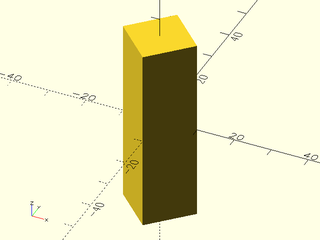
include <BOSL2/std.scad>
chamfer_edge_mask(l=50, chamfer=10);
Example 2:
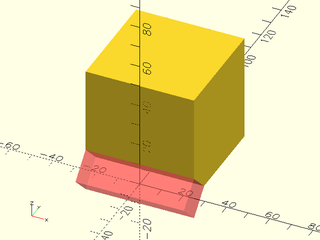
include <BOSL2/std.scad>
difference() {
    cube(50, anchor=BOTTOM+FRONT);
    #chamfer_edge_mask(l=50, chamfer=10, orient=RIGHT);
}
Example 3: Masking by Attachment
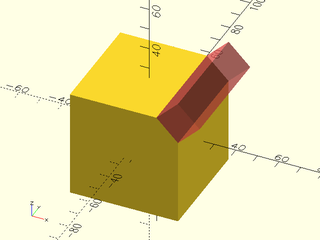
include <BOSL2/std.scad>
diff()
cube(50, center=true) {
    edge_mask(TOP+RIGHT)
        #chamfer_edge_mask(l=50, chamfer=10);
}
Module: rounding_edge_mask()
Synopsis: Creates a shape to round an arbitrary 3d edge. [Geom]
Topics: Masks, Rounding, Shapes (3D)
See Also: edge_profile(), rounding_corner_mask(), default_tag(), diff()
Usage:
- rounding_edge_mask(l|h=|length=|height=, r|d=, [ang], [excess=], [rounding=|chamfer=], ) [ATTACHMENTS];
- rounding_edge_mask(l|h=|length=|height=, r1=|d1=, r2=|d2=, [ang=], [excess=], [rounding=|chamfer=]) [ATTACHMENTS];
Description:
Creates a mask shape that can be used to round a straight edge at any angle, with
different rounding radii at each end. The corner of the mask appears on the Z axis with one face on the XZ plane.
You must align the mask corner with the edge you want to round. If your parent object is a cuboid, the easiest way to
do this is to use diff() and edge_mask(). However, this method is somewhat inflexible regarding orientation of a tapered
mask, and it does not support other parent shapes. You can attach the mask to a larger range of shapes using
attach() to anchor the LEFT+FWD anchor of the mask to a desired corner on the parent with inside=true.
Many shapes propagate $edge_angle and $edge_length which can aid in configuring the mask, and you can adjust the
mask as needed to align the taper as desired. The default "remove" tag is set so diff() will automatically difference
away the mask. You can of course also position the mask manually and use difference().
For mating with other roundings or chamfers on cuboids or regular prisms, you can choose end roundings and end chamfers. These affect
only the curved edge of the mask ends and will only work if the terminating face is perpendicular to the masked edge. The excess
parameter will add extra length to the mask when you use these settings.
Arguments:
| By Position | What it does |
|---|---|
l / h / length / height |
Length of mask. Default: $edge_length if defined |
r |
Radius of the rounding. |
ang |
Angle between faces for rounding. Default: $edge_angle if defined, otherwise 90 |
| By Name | What it does |
|---|---|
r1 |
Bottom radius of rounding. |
r2 |
Top radius of rounding. |
d |
Diameter of the rounding. |
d1 |
Bottom diameter of rounding. |
d2 |
Top diameter of rounding. |
excess |
Extra size for the mask. Defaults: 0.1 |
rounding |
Radius of roundong along ends. Default: 0 |
rounding1 |
Radius of rounding along bottom end |
rounding2 |
Radius of rounding along top end |
chamfer |
Chamfer size of end chamfers. Default: 0 |
chamfer1 |
Chamfer size of chamfer at bottom end |
chamfer2 |
Chamfer size of chamfer at top end |
anchor |
Translate so anchor point is at origin (0,0,0). See anchor. Default: CENTER |
spin |
Rotate this many degrees around the Z axis after anchor. See spin. Default: 0 |
orient |
Vector to rotate top towards, after spin. See orient. Default: UP |
Side Effects:
- Tags the children with "remove" (and hence sets
$tag) if no tag is already set.
Example 1:
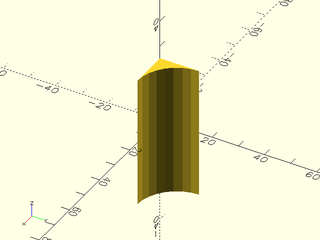
include <BOSL2/std.scad>
rounding_edge_mask(l=50, r=15);
Example 2: With different radii at each end
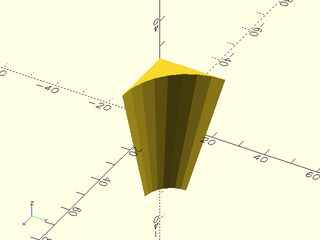
include <BOSL2/std.scad>
rounding_edge_mask(l=50, r1=10, r2=25);
Example 3: Acute angle
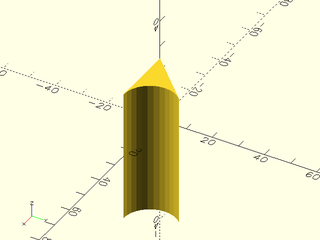
include <BOSL2/std.scad>
rounding_edge_mask(l=50, r=10, ang=45);
Example 4: A large excess
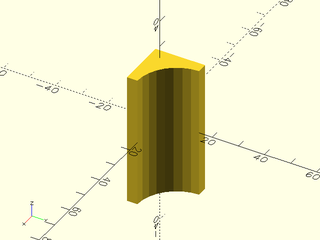
include <BOSL2/std.scad>
rounding_edge_mask(l=50, r=15,excess=4);
Example 5: Subtracting from a cube

include <BOSL2/std.scad>
difference() {
    cube(size=100, center=false);
    #rounding_edge_mask(l=100, r=25, anchor=BOTTOM);
}
Example 6: Varying Rounding Radius
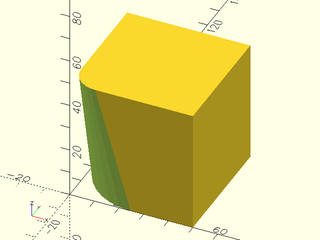
include <BOSL2/std.scad>
difference() {
    cube(size=50, center=false);
    down(1)rounding_edge_mask(l=52, r1=25, r2=10, anchor=BOTTOM);
}
Example 7: Angle not 90 degrees
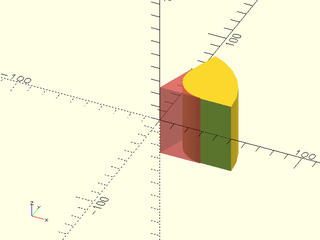
include <BOSL2/std.scad>
difference() {
    pie_slice(ang=70, h=50, d=100, center=true);
    #rounding_edge_mask(h=51, r=20.0, ang=70, $fn=32);
}
Example 8: Varying Rounding Radius
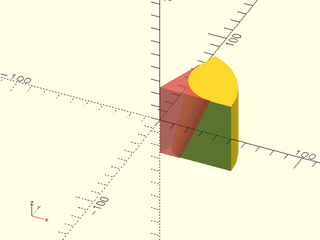
include <BOSL2/std.scad>
difference() {
    pie_slice(ang=70, h=50, d=100, center=true);
    #rounding_edge_mask(h=51, r1=10, r2=25, ang=70, $fn=32);
}
Example 9: Rounding a non-right angled edge, with a zero radius at the bottom.
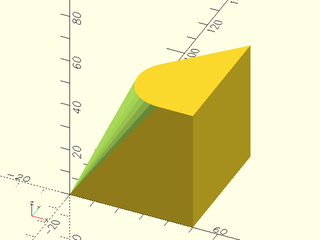
include <BOSL2/std.scad>
difference(){
  linear_extrude(height=50)xflip(x=25)right_triangle([50,50]);
  rounding_edge_mask(l=51, ang=45, r1=0, r2=15, anchor=BOT);
}
Example 10: Masking by Attachment
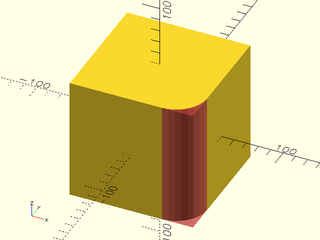
include <BOSL2/std.scad>
diff()
cube(100, center=true)
    edge_mask(FRONT+RIGHT)
        #rounding_edge_mask(l=$parent_size.z+0.01, r=25);
Example 11: Multiple Masking by Attachment
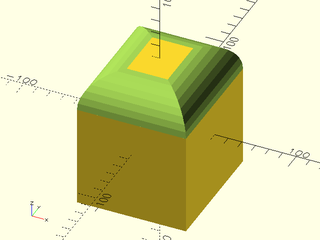
include <BOSL2/std.scad>
diff()
cube([80,90,100], center=true) {
    let(p = $parent_size*1.01) {
        edge_mask(TOP)
            rounding_edge_mask(l=p.z, r=25);
    }
}
Example 12: Mask shape with end rounding at the top, chamfer at the bottom, and a large excess value:
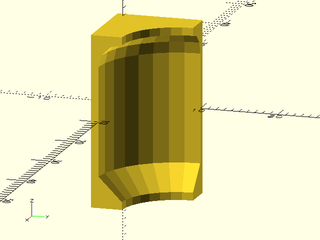
include <BOSL2/std.scad>
rounding_edge_mask(r=10,h=20, chamfer1=3, rounding2=3, excess=1);
Example 13: Attaching masks using attach() with automatic angle and length from the parent. Note that sometimes the automatic length is too short because it is the length of the edge itself.
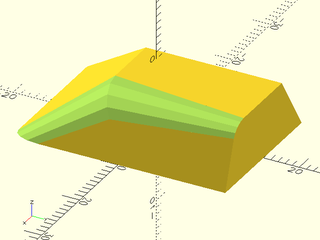
include <BOSL2/std.scad>
diff()
prismoid([20,30],[12,19], h=10,shift=[4,7])
  attach([TOP+RIGHT,RIGHT+FRONT],LEFT+FWD,inside=true)
    rounding_edge_mask(r1=2,r2=4);
Example 14: The mask does not need to be the full length of the edge
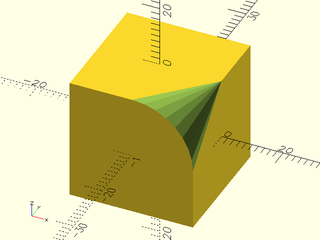
include <BOSL2/std.scad>
diff()
cuboid(20)
  attach(RIGHT+TOP,LEFT+FWD,inside=true,inset=-.1,align=FWD)
    rounding_edge_mask(r1=0,r2=10,length=10);
Example 15: Here we blend a tapered mask applied with rounding_edge_mask() with cuboid() rounding and a 2d mask applied with edge_profile().
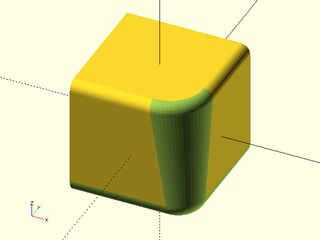
include <BOSL2/std.scad>
$fa=5;$fs=0.5;
diff()
cuboid(25,rounding=2,edges=[TOP+RIGHT,TOP+FRONT]){
  attach(RIGHT+FRONT, LEFT+FWD, inside=true)
     rounding_edge_mask(r1=5, r2=9, rounding2=2, rounding1=3);
  edge_profile([BOT+RIGHT,BOT+FRONT]) mask2d_roundover(r=3);
}
Module: teardrop_edge_mask()
Synopsis: Creates a shape to round a 90° edge but limit the angle of overhang. [Geom]
Topics: Masking, Rounding, Shapes (3D), FDM Optimized
See Also: teardrop_corner_mask(), default_tag(), diff()
Usage:
- teardrop_edge_mask(l|h=|length=|height=, r|d=, [angle], [excess], [anchor], [spin], [orient]) [ATTACHMENTS];
Description:
Makes an apropriate 3D edge rounding mask that keeps within angle degrees of vertical.
Arguments:
| By Position | What it does |
|---|---|
l / h / length / height |
length of mask |
r |
Radius of the mask rounding. |
angle |
Maximum angle from vertical. Default: 45 |
excess |
Excess mask size. Default: 0.1 |
| By Name | What it does |
|---|---|
d |
Diameter of the mask rounding. |
anchor |
Translate so anchor point is at origin (0,0,0). See anchor. Default: CENTER |
spin |
Rotate this many degrees around the Z axis after anchor. See spin. Default: 0 |
orient |
Vector to rotate top towards, after spin. See orient. Default: UP |
Side Effects:
- Tags the children with "remove" (and hence sets
$tag) if no tag is already set.
Example 1:
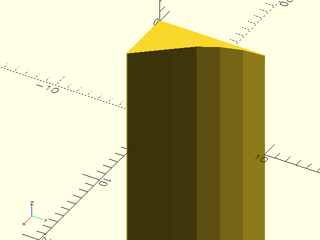
include <BOSL2/std.scad>
teardrop_edge_mask(l=20, r=10, angle=40);
Example 2:
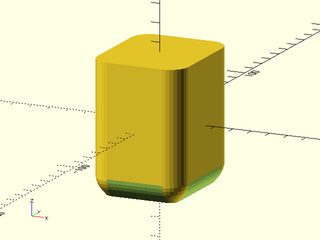
include <BOSL2/std.scad>
diff()
cuboid([50,60,70],rounding=10,edges="Z",anchor=CENTER) {
    edge_mask(BOT)
        teardrop_edge_mask(l=max($parent_size)+1, r=10, angle=40);
    corner_mask(BOT)
        teardrop_corner_mask(r=10, angle=40);
}
Module: polygon_edge_mask()
Synopsis: Extrudes a 2d mask polygon to an edge mask with a correct corner anchor [Geom]
Topics: Masks, Shapes (3D)
See Also: edge_profile(), edge_profile_asym(), diff()
Usage:
- polygon_edge_mask(mask, l|h=|length=|height=, [scale=]) [ATTACHMENTS];
Description:
Creates a 3d mask shape by extruding a polygon point list that specifies a 2d mask shape. This is different than using edge_profile() because it
creates the actual 3D shape and does not require a parent object. You can attach it to any corner with a suitable anchor.
This is different from a simple linear_sweep()
because it creates a "corner" named anchor that is correctly located to attach the mask. Note that since the
2d masks have excess to ensure clean differences, the "corner" anchor is not at the actual corner of the mask
object but at the corner point that needs to align with the corner being masked. If you use linear_sweep()
you will need to adjust for the excess manually, because the FWD+LEFT anchor is at the actual corner of the geometry.
For correct definition of the "corner" anchor this module assumes that the bottom edge is parallel to the Y axis, the bottom and left edges are at the same angle as the corner the mask applies to, and that the mask corner point aligns with the origin.
Arguments:
| By Position | What it does |
|---|---|
mask |
path describing the 2d mask |
l / h / length / height |
Length of mask. Default: $edge_length if defined |
| By Name | What it does |
|---|---|
scale |
Scaling multiplier for the top end of the mask object compared to the bottom. Default: 1 |
atype |
Anchor type, either "hull" or "intersect". Default: "intersect" |
Anchor Types:
| Anchor Type | What it is |
|---|---|
| "hull" | Anchors to the virtual convex hull of the shape. |
| "intersect" | Anchors to the surface of the shape. |
Named Anchors:
| Anchor Name | Position |
|---|---|
| "corner" | The center point of the mask with the correct direiction to anchor to an edge |
Side Effects:
- Tags the children with "remove" (and hence sets
$tag) if no tag is already set.
Example 1: Creating a roundover with a large excess
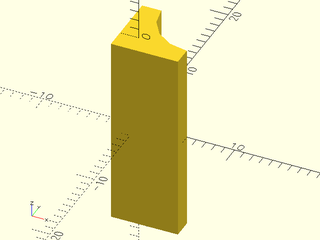
include <BOSL2/std.scad>
polygon_edge_mask(mask2d_roundover(r=5, excess=2), length=20);
Example 2: Scaled roundover (with the much smaller default excess)
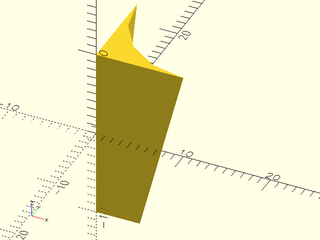
include <BOSL2/std.scad>
polygon_edge_mask(mask2d_roundover(r=5), length=20, scale=2);
Example 3: Masking a prismoid edge with a scaled cove using attachment
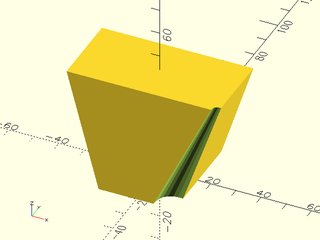
include <BOSL2/std.scad>
diff()
  prismoid([30,40],[60,30],h=44)
    attach(RIGHT+FWD,"corner",inside=true)
      polygon_edge_mask(mask2d_cove(h=6,inset=2,mask_angle=$edge_angle,excess=2), $edge_length+10, scale=1/4);
Section: 3D Masks for 90° Corners
Module: chamfer_corner_mask()
Synopsis: Creates a shape to chamfer a 90° corner. [Geom]
Topics: Masking, Chamfers, Shapes (3D)
See Also: chamfer_cylinder_mask(), chamfer_edge_mask(), default_tag(), diff()
Usage:
- chamfer_corner_mask(chamfer) [ATTACHMENTS];
Description:
Creates a shape that can be used to chamfer a 90° corner. Difference it from the object to be chamfered. The center of the mask object should align exactly with the corner to be chamfered.
Arguments:
| By Position | What it does |
|---|---|
chamfer |
Size of chamfer. |
| By Name | What it does |
|---|---|
anchor |
Translate so anchor point is at origin (0,0,0). See anchor. Default: CENTER |
spin |
Rotate this many degrees around the Z axis after anchor. See spin. Default: 0 |
orient |
Vector to rotate top towards, after spin. See orient. Default: UP |
Side Effects:
- Tags the children with "remove" (and hence sets
$tag) if no tag is already set.
Example 1:
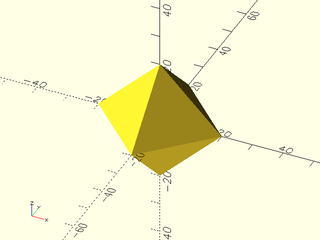
include <BOSL2/std.scad>
chamfer_corner_mask(chamfer=10);
Example 2:
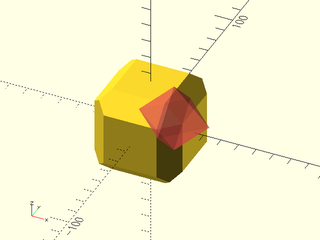
include <BOSL2/std.scad>
difference() {
    cuboid(50, chamfer=10, trimcorners=false);
    move(25*[1,-1,1]) #chamfer_corner_mask(chamfer=10);
}
Example 3: Masking by Attachment
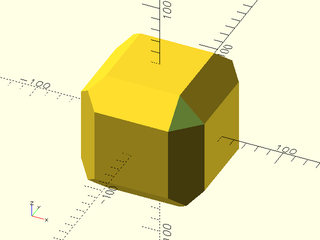
include <BOSL2/std.scad>
diff()
cuboid(100, chamfer=20, trimcorners=false) {
    corner_mask(TOP+FWD+RIGHT)
        chamfer_corner_mask(chamfer=20);
}
Example 4: Anchors
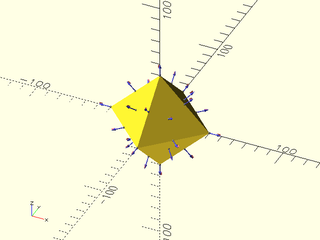
include <BOSL2/std.scad>
chamfer_corner_mask(chamfer=20)
    show_anchors();
Module: rounding_corner_mask()
Synopsis: Creates a shape to round 90° corners. [Geom]
Topics: Masking, Rounding, Shapes (3D)
See Also: rounding_edge_mask(), default_tag(), diff()
Usage:
- rounding_corner_mask(r|d, [ang], [excess=], [style=]) [ATTACHMENTS];
Description:
Creates a shape that you can use to round corners where the top and bottom faces are parallel and the two side faces are perpendicular to the top and bottom, e.g. cubes or pie_slice corners. Difference it from the object to be rounded. The center of the mask object should align exactly with the corner to be rounded.
Arguments:
| By Position | What it does |
|---|---|
r |
Radius of corner rounding. |
ang |
Angle of corner (measured around the z axis). Default: 90 |
| By Name | What it does |
|---|---|
d |
Diameter of corner rounding. |
excess |
Extra size for the mask. Defaults: 0.1 |
style |
The style of the sphere cutout's construction. One of "orig", "aligned", "stagger", "octa", or "icosa". Default: "octa" |
anchor |
Translate so anchor point is at origin (0,0,0). See anchor. Default: CENTER |
spin |
Rotate this many degrees around the Z axis after anchor. See spin. Default: 0 |
orient |
Vector to rotate top towards, after spin. See orient. Default: UP |
Side Effects:
- Tags the children with "remove" (and hence sets
$tag) if no tag is already set.
Example 1:
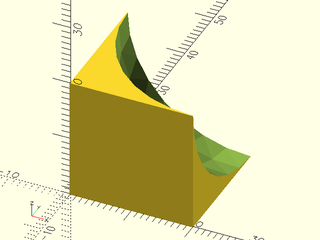
include <BOSL2/std.scad>
rounding_corner_mask(r=20);
Example 2: Adding a huge excess
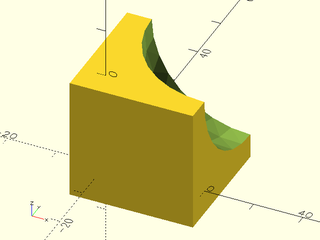
include <BOSL2/std.scad>
rounding_corner_mask(r=20, excess=5);
Example 3: Position masks manually
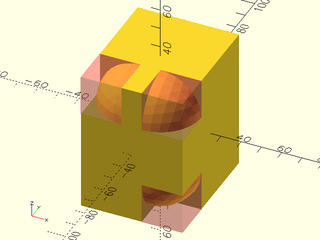
include <BOSL2/std.scad>
difference() {
    cube(size=[50, 60, 70], center=true);
    translate([-25, -30, 35])
        #rounding_corner_mask(r=20, spin=90, orient=DOWN);
    translate([25, -30, 35])
        #rounding_corner_mask(r=20, orient=DOWN);
    translate([25, -30, -35])
        #rounding_corner_mask(r=20, spin=90);
}
Example 4: Masking by Attachment
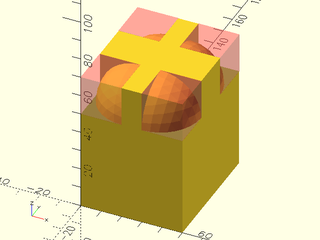
include <BOSL2/std.scad>
diff()
cube(size=[50, 60, 70]) {
    corner_mask(TOP)
        #rounding_corner_mask(r=20);
}
Example 5: Acute angle
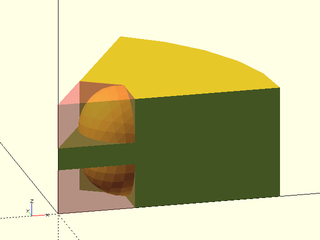
include <BOSL2/std.scad>
ang=60;
difference() {
    pie_slice(ang=ang, h=50, r=100);
    zflip_copy(z=25)
       #rounding_corner_mask(r=20, ang=ang);
}
Example 6: Obtuse angle
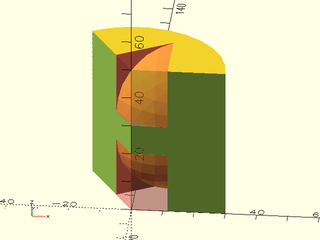
include <BOSL2/std.scad>
ang=120;
difference() {
    pie_slice(ang=ang, h=50, r=30);
    zflip_copy(z=25)
       #rounding_corner_mask(r=20, ang=ang);
}
Module: teardrop_corner_mask()
Synopsis: Creates a shape to round a 90° corner but limit the angle of overhang. [Geom]
Topics: Masking, Rounding, Shapes (3D), FDM Optimized
See Also: teardrop_edge_mask(), default_tag(), diff()
Usage:
- teardrop_corner_mask(r|d=, [angle], [excess], [anchor], [spin], [orient]) [ATTACHMENTS];
Description:
Makes an apropriate 3D corner rounding mask that keeps within angle degrees of vertical.
Arguments:
| By Position | What it does |
|---|---|
r |
Radius of the mask rounding. |
angle |
Maximum angle from vertical. Default: 45 |
excess |
Excess mask size. Default: 0.1 |
| By Name | What it does |
|---|---|
d |
Diameter of the mask rounding. |
anchor |
Translate so anchor point is at origin (0,0,0). See anchor. Default: CENTER |
spin |
Rotate this many degrees around the Z axis after anchor. See spin. Default: 0 |
orient |
Vector to rotate top towards, after spin. See orient. Default: UP |
Side Effects:
- Tags the children with "remove" (and hence sets
$tag) if no tag is already set.
Example 1:
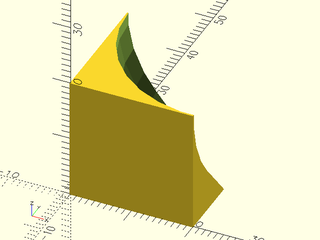
include <BOSL2/std.scad>
teardrop_corner_mask(r=20, angle=40);
Example 2:
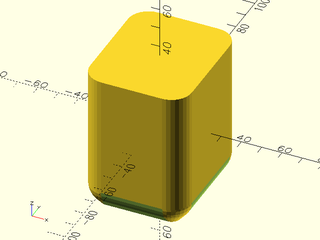
include <BOSL2/std.scad>
diff()
cuboid([50,60,70],rounding=10,edges="Z",anchor=CENTER) {
    edge_profile(BOT)
        mask2d_teardrop(r=10, angle=40);
    corner_mask(BOT)
        teardrop_corner_mask(r=10, angle=40);
}
Section: 3D Cylinder End Masks
Module: chamfer_cylinder_mask()
Synopsis: Creates a shape to chamfer the end of a cylinder. [Geom]
Topics: Masking, Chamfers, Cylinders
See Also: chamfer_corner_mask(), chamfer_edge_mask(), default_tag(), diff()
Usage:
- chamfer_cylinder_mask(r|d=, chamfer, [ang], [from_end]) [ATTACHMENTS];
Description:
Create a mask that can be used to bevel/chamfer the end of a cylindrical region. Difference it from the end of the region to be chamfered. The center of the mask object should align exactly with the center of the end of the cylindrical region to be chamfered.
Arguments:
| By Position | What it does |
|---|---|
r |
Radius of cylinder to chamfer. |
chamfer |
Size of the edge chamfered, inset from edge. |
| By Name | What it does |
|---|---|
d |
Diameter of cylinder to chamfer. Use instead of r. |
ang |
Angle of chamfer in degrees from the horizontal. (Default: 45) |
from_end |
If true, chamfer size is measured from end of cylinder. If false, chamfer is measured outset from the radius of the cylinder. (Default: false) |
anchor |
Translate so anchor point is at origin (0,0,0). See anchor. Default: CENTER |
spin |
Rotate this many degrees around the Z axis after anchor. See spin. Default: 0 |
orient |
Vector to rotate top towards, after spin. See orient. Default: UP |
Side Effects:
- Tags the children with "remove" (and hence sets
$tag) if no tag is already set.
Example 1:
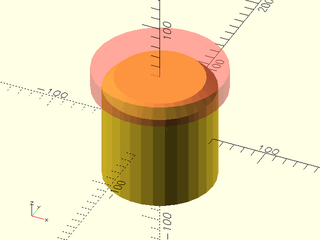
include <BOSL2/std.scad>
difference() {
    cylinder(r=50, h=100, center=true);
    up(50) #chamfer_cylinder_mask(r=50, chamfer=10);
}
Example 2:
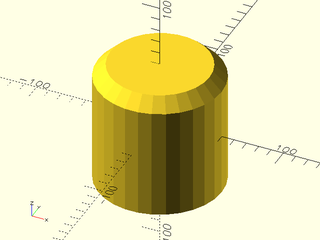
include <BOSL2/std.scad>
difference() {
    cylinder(r=50, h=100, center=true);
    up(50) chamfer_cylinder_mask(r=50, chamfer=10);
}
Example 3: Changing the chamfer angle
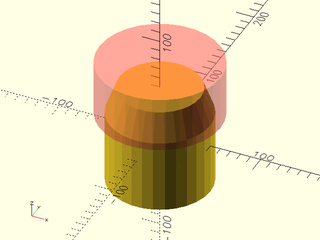
include <BOSL2/std.scad>
difference() {
    cylinder(r=50, h=100, center=true);
    up(50) #chamfer_cylinder_mask(r=50, chamfer=10, ang=70);
}
Example 4:
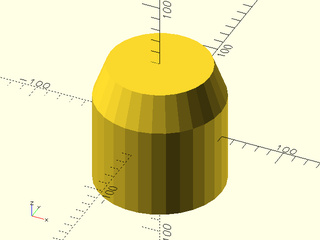
include <BOSL2/std.scad>
difference() {
    cylinder(r=50, h=100, center=true);
    up(50) chamfer_cylinder_mask(r=50, chamfer=10, ang=70);
}
Example 5: Masking by Attachment
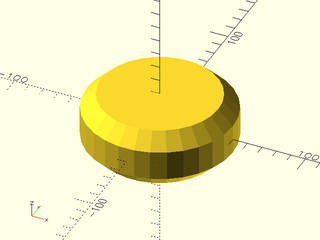
include <BOSL2/std.scad>
diff()
cyl(d=100,h=40)
   attach([TOP,BOT])
      tag("remove")chamfer_cylinder_mask(d=100, chamfer=10);
Module: rounding_cylinder_mask()
Synopsis: Creates a shape to round the end of a cylinder. [Geom]
Topics: Masking, Rounding, Cylinders
See Also: rounding_hole_mask(), rounding_corner_mask(), default_tag(), diff()
Usage:
- rounding_cylinder_mask(r|d=, rounding);
Description:
Create a mask that can be used to round the end of a cylinder. Difference it from the cylinder to be rounded. The center of the mask object should align exactly with the center of the end of the cylinder to be rounded.
Arguments:
| By Position | What it does |
|---|---|
r |
Radius of cylinder. |
rounding |
Radius of the edge rounding. |
| By Name | What it does |
|---|---|
d |
Diameter of cylinder. |
anchor |
Translate so anchor point is at origin (0,0,0). See anchor. Default: CENTER |
spin |
Rotate this many degrees around the Z axis after anchor. See spin. Default: 0 |
orient |
Vector to rotate top towards, after spin. See orient. Default: UP |
Side Effects:
- Tags the children with "remove" (and hence sets
$tag) if no tag is already set.
Example 1:
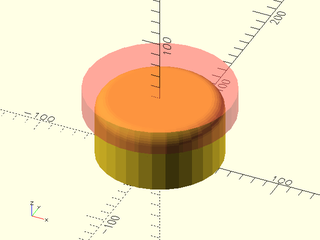
include <BOSL2/std.scad>
difference() {
  cylinder(r=50, h=50, center=false);
  up(50) #rounding_cylinder_mask(r=50, rounding=10);
}
Example 2:
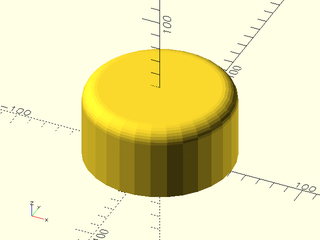
include <BOSL2/std.scad>
difference() {
  cylinder(r=50, h=50, center=false);
  up(50) rounding_cylinder_mask(r=50, rounding=10);
}
Example 3: Masking by Attachment
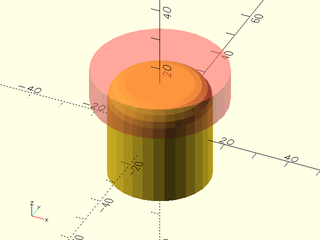
include <BOSL2/std.scad>
diff()
cyl(h=30, d=30) {
    attach(TOP)
      #tag("remove")
        rounding_cylinder_mask(d=30, rounding=5);
}
Section: 3D Cylindrical Hole Masks
Module: rounding_hole_mask()
Synopsis: Creates a shape to round the edge of a round hole. [Geom]
See Also: rounding_cylinder_mask(), rounding_corner_mask(), default_tag(), diff()
Usage:
- rounding_hole_mask(r|d, rounding, [excess]) [ATTACHMENTS];
Description:
Create a mask that can be used to round the edge of a circular hole. Difference it from the hole to be rounded. The center of the mask object should align exactly with the center of the end of the hole to be rounded.
Arguments:
| By Position | What it does |
|---|---|
r |
Radius of hole. |
rounding |
Radius of the rounding. |
excess |
The extra thickness of the mask. Default: 0.1. |
| By Name | What it does |
|---|---|
d |
Diameter of hole to rounding. |
anchor |
Translate so anchor point is at origin (0,0,0). See anchor. Default: CENTER |
spin |
Rotate this many degrees around the Z axis after anchor. See spin. Default: 0 |
orient |
Vector to rotate top towards, after spin. See orient. Default: UP |
Side Effects:
- Tags the children with "remove" (and hence sets
$tag) if no tag is already set.
Example 1:
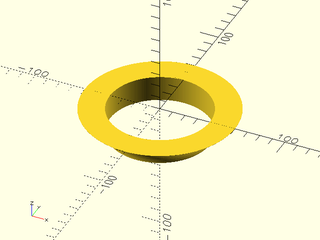
include <BOSL2/std.scad>
rounding_hole_mask(r=40, rounding=20, $fa=2, $fs=2);
Example 2:
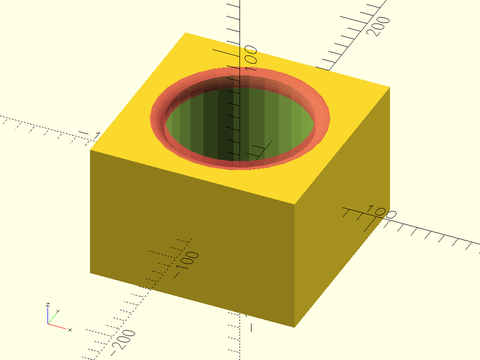
include <BOSL2/std.scad>
difference() {
  cube([150,150,100], center=true);
  cylinder(r=50, h=100.1, center=true);
  up(50) #rounding_hole_mask(r=50, rounding=10);
}
Example 3:
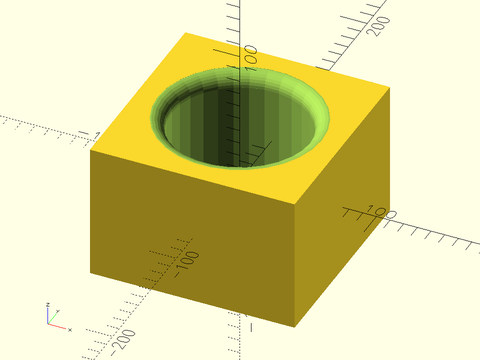
include <BOSL2/std.scad>
difference() {
  cube([150,150,100], center=true);
  cylinder(r=50, h=100.1, center=true);
  up(50) rounding_hole_mask(r=50, rounding=10);
}
Section: Modules for Applying 3D Masks
Module: face_mask()
Synopsis: Ataches a 3d mask shape to the given faces of the parent. [Trans]
Topics: Attachments, Masking
See Also: attachable(), position(), attach(), edge_mask(), corner_mask(), face_profile(), edge_profile(), corner_profile()
Usage:
- PARENT() face_mask(faces) CHILDREN;
Description:
Takes a 3D mask shape, and attaches it to the given faces, with the appropriate orientation to be
differenced away. The mask shape should be vertically oriented (Z-aligned) with the bottom half
(Z-) shaped to be diffed away from the face of parent attachable shape. If no tag is set then
face_mask() sets the tag for children to "remove" so that it works with the default diff() tag.
For details on specifying the faces to mask see Specifying Faces.
For a step-by-step explanation of masking attachments, see the Attachments Tutorial.
Arguments:
| By Position | What it does |
|---|---|
edges |
Faces to mask. See Specifying Faces for information on specifying faces. Default: All faces |
Side Effects:
- Tags the children with "remove" (and hence sets
$tag) if no tag is already set. $idxis set to the index number of each face in the list of faces given.$attach_anchoris set for each face given, to the[ANCHOR, POSITION, ORIENT, SPIN]information for that anchor.
Example 1:
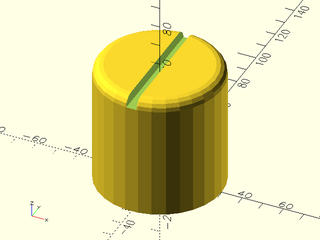
include <BOSL2/std.scad>
diff()
cylinder(r=30, h=60)
    face_mask(TOP) {
        rounding_cylinder_mask(r=30,rounding=5);
        cuboid([5,61,10]);
    }
Example 2: Using $idx
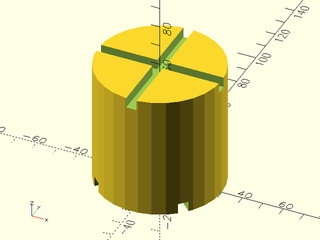
include <BOSL2/std.scad>
diff()
cylinder(r=30, h=60)
    face_mask([TOP, BOT])
        zrot(45*$idx) zrot_copies([0,90]) cuboid([5,61,10]);
Module: edge_mask()
Synopsis: Attaches a 3D mask shape to the given edges of the parent. [Trans]
Topics: Attachments, Masking
See Also: attachable(), position(), attach(), face_mask(), corner_mask(), face_profile(), edge_profile(), corner_profile()
Usage:
- PARENT() edge_mask([edges], [except]) CHILDREN;
Description:
Takes a 3D mask shape, and attaches it to the given edges of a cuboid parent, with the appropriate orientation to be
differenced away. The mask shape should be vertically oriented (Z-aligned) with the back-right
quadrant (X+Y+) shaped to be diffed away from the edge of parent attachable shape. If no tag is set
then edge_mask sets the tag for children to "remove" so that it works with the default diff() tag.
For details on specifying the edges to mask see Specifying Edges.
For a step-by-step explanation of masking attachments, see the Attachments Tutorial.
Figure 7.2.1: A Typical Edge Rounding Mask
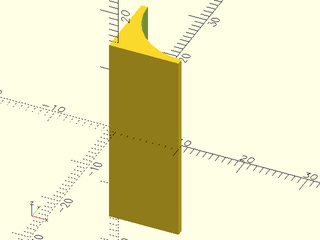
Arguments:
| By Position | What it does |
|---|---|
edges |
Edges to mask. See Specifying Edges. Default: All edges. |
except |
Edges to explicitly NOT mask. See Specifying Edges. Default: No edges. |
Side Effects:
- Tags the children with "remove" (and hence sets
$tag) if no tag is already set. $idxis set to the index number of each edge.$attach_anchoris set for each edge given, to the[ANCHOR, POSITION, ORIENT, SPIN]information for that anchor.$parent_sizeis set to the size of the parent object.
Example 1:
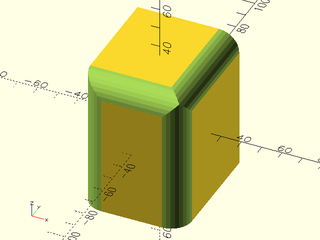
include <BOSL2/std.scad>
diff()
cube([50,60,70],center=true)
    edge_mask([TOP,"Z"],except=[BACK,TOP+LEFT])
        rounding_edge_mask(l=71,r=10);
Module: corner_mask()
Synopsis: Attaches a 3d mask shape to the given corners of the parent. [Trans]
Topics: Attachments, Masking
See Also: attachable(), position(), attach(), face_mask(), edge_mask(), face_profile(), edge_profile(), corner_profile()
Usage:
- PARENT() corner_mask([corners], [except]) CHILDREN;
Description:
Takes a 3D corner mask shape, and attaches it to the specified corners, with the appropriate orientation to
be differenced away. The 3D corner mask shape should be designed to mask away the X+Y+Z+ octant. If no tag is set
then corner_mask sets the tag for children to "remove" so that it works with the default diff() tag.
See Specifying Corners for information on how to specify corner sets.
For a step-by-step explanation of masking attachments, see the Attachments Tutorial.
Arguments:
| By Position | What it does |
|---|---|
corners |
Corners to mask. See Specifying Corners. Default: All corners. |
except |
Corners to explicitly NOT mask. See Specifying Corners. Default: No corners. |
Side Effects:
- Tags the children with "remove" (and hence sets
$tag) if no tag is already set. $idxis set to the index number of each corner.$attach_anchoris set for each corner given, to the[ANCHOR, POSITION, ORIENT, SPIN]information for that anchor.
Example 1:
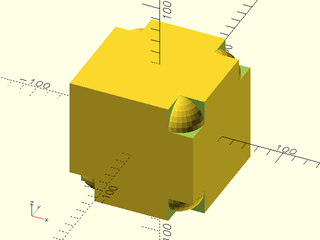
include <BOSL2/std.scad>
diff()
cube(100, center=true)
    corner_mask([TOP,FRONT],LEFT+FRONT+TOP)
        difference() {
            translate(-0.01*[1,1,1]) cube(20);
            translate([20,20,20]) sphere(r=20);
        }